

Revoroute
Revoroute Automated Layout Plug-in for Adobe InDesign
Overview
Automated publishing made easier for first-time users and professionals
[NEW] RevoroutePro, the advanced edition of Revoroute, is now available.See the added features

Produce simple promotional catalogs

Improve catalog production efficiency

Operate InDesign more easily

Automate page planning and data placement

Check data consistency quickly

Reduce data-handling complexity

Avoid complex XML operations
Revoroute
Simple features. Easy operation.
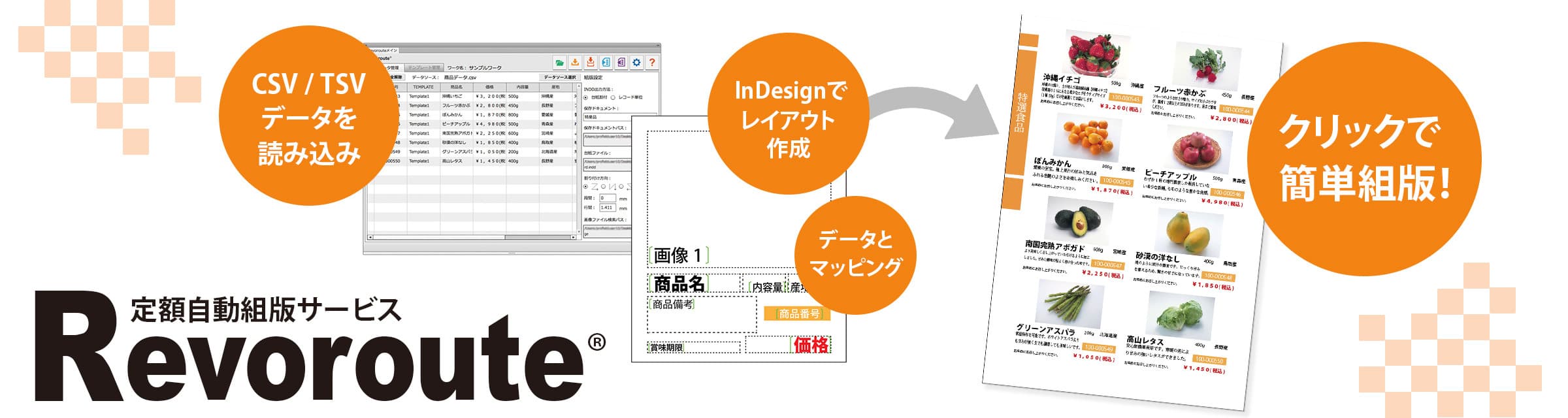
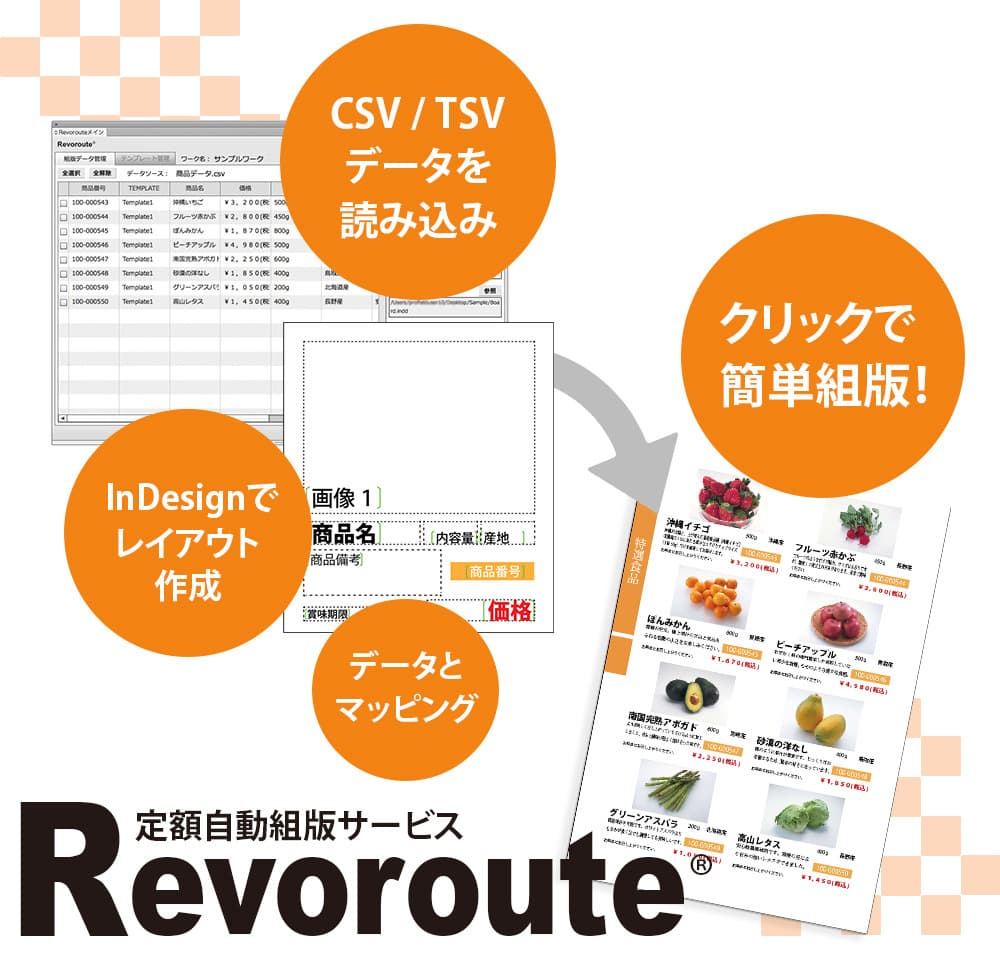
Revoroute is an Adobe InDesign plug-in for automating catalogs, flyers, information magazines and other production work. It keeps the feature set simple, reflects production-floor needs and also supports proofreading through data-difference checking.
Templates
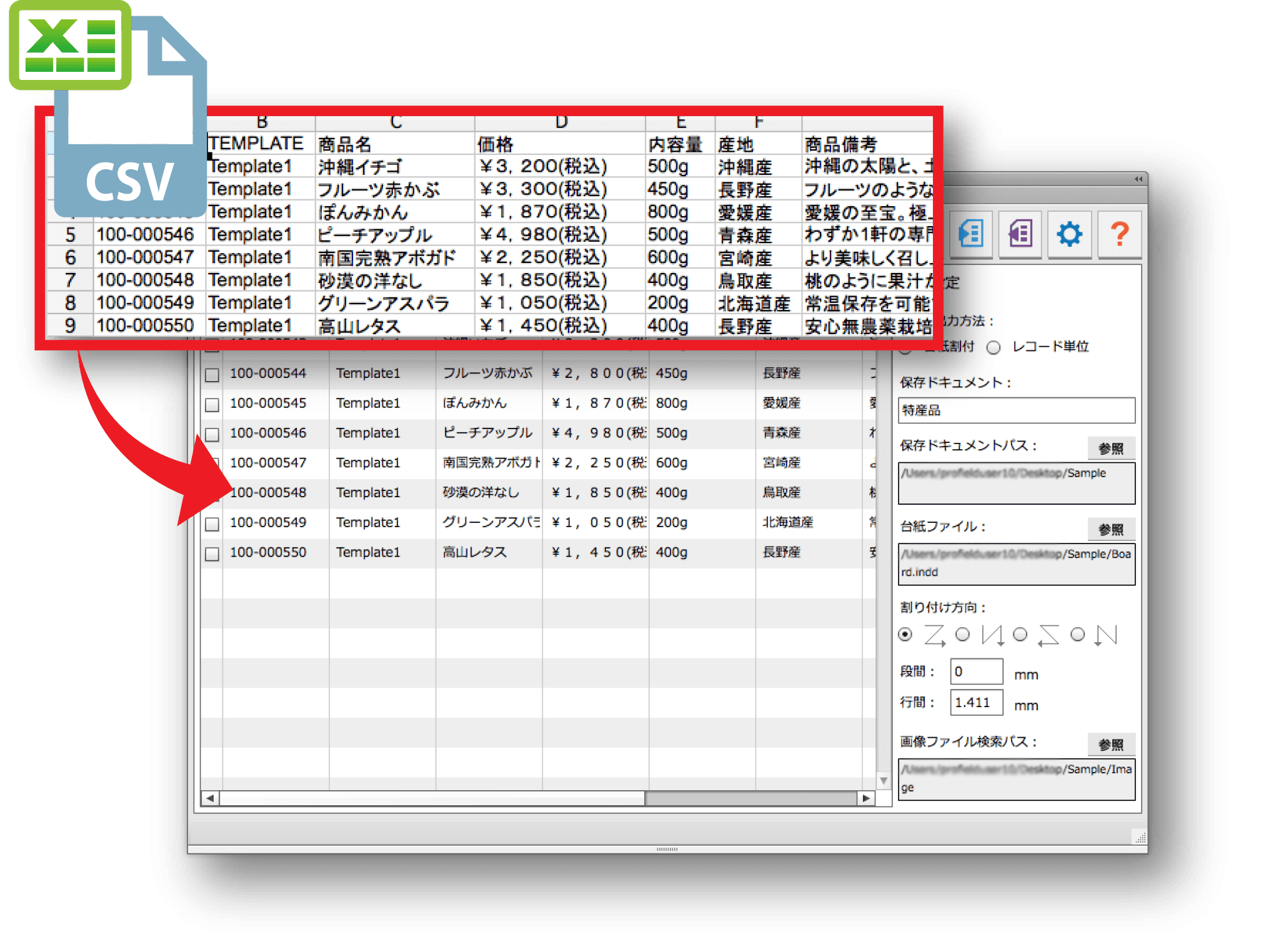
Create templates freely in InDesign and map CSV fields to the layout
Design flexible layouts in InDesign, configure overflow handling and other styles for automated publishing, and map imported CSV/TSV fields to template frames with simple operations.
Automated Layout
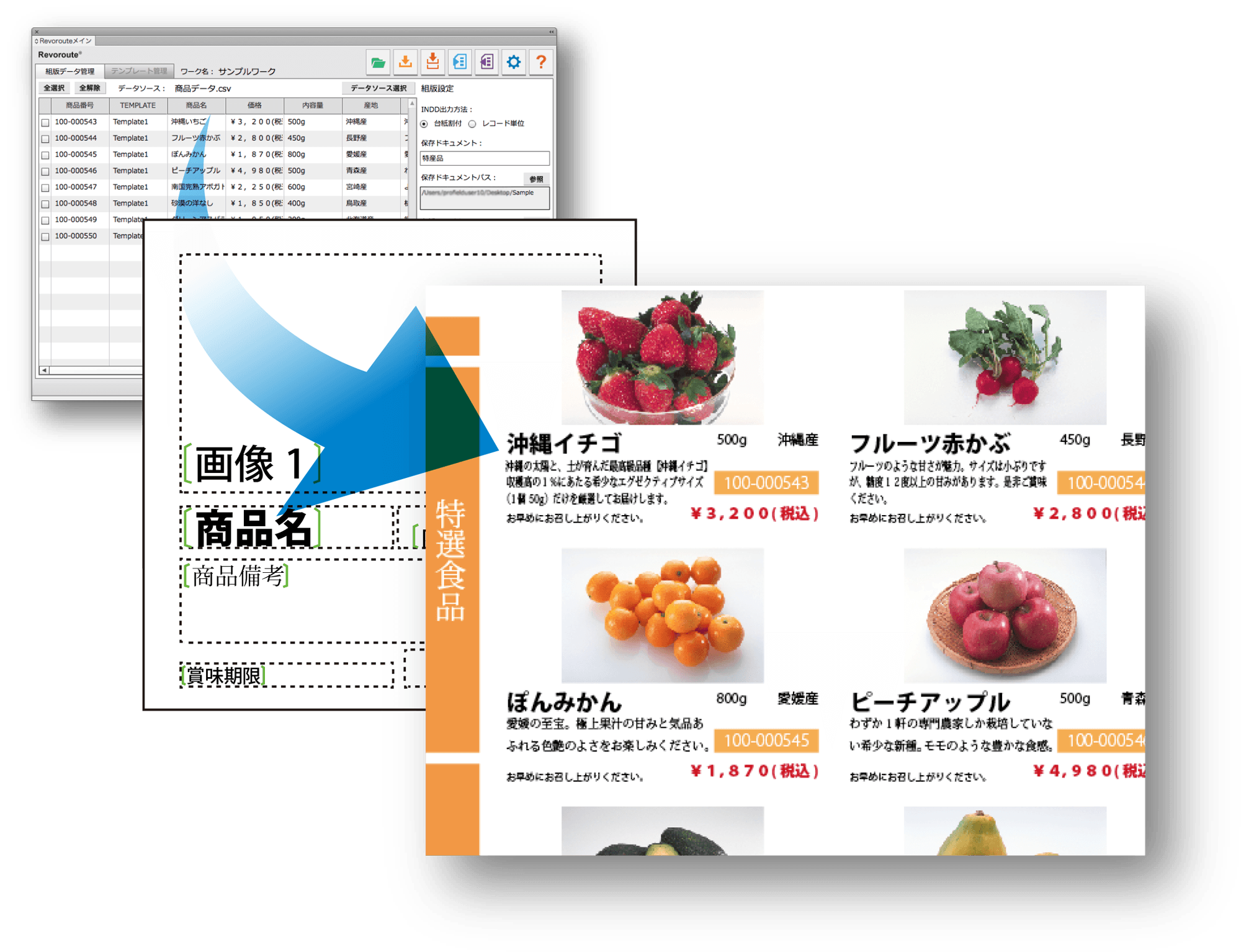
Automatically place text and images from source data
Flow imported CSV data into InDesign layouts in one operation.
Reduce repetitive copy-and-paste work and improve production efficiency.
Place image assets in batches as well as text information.
Difference Check
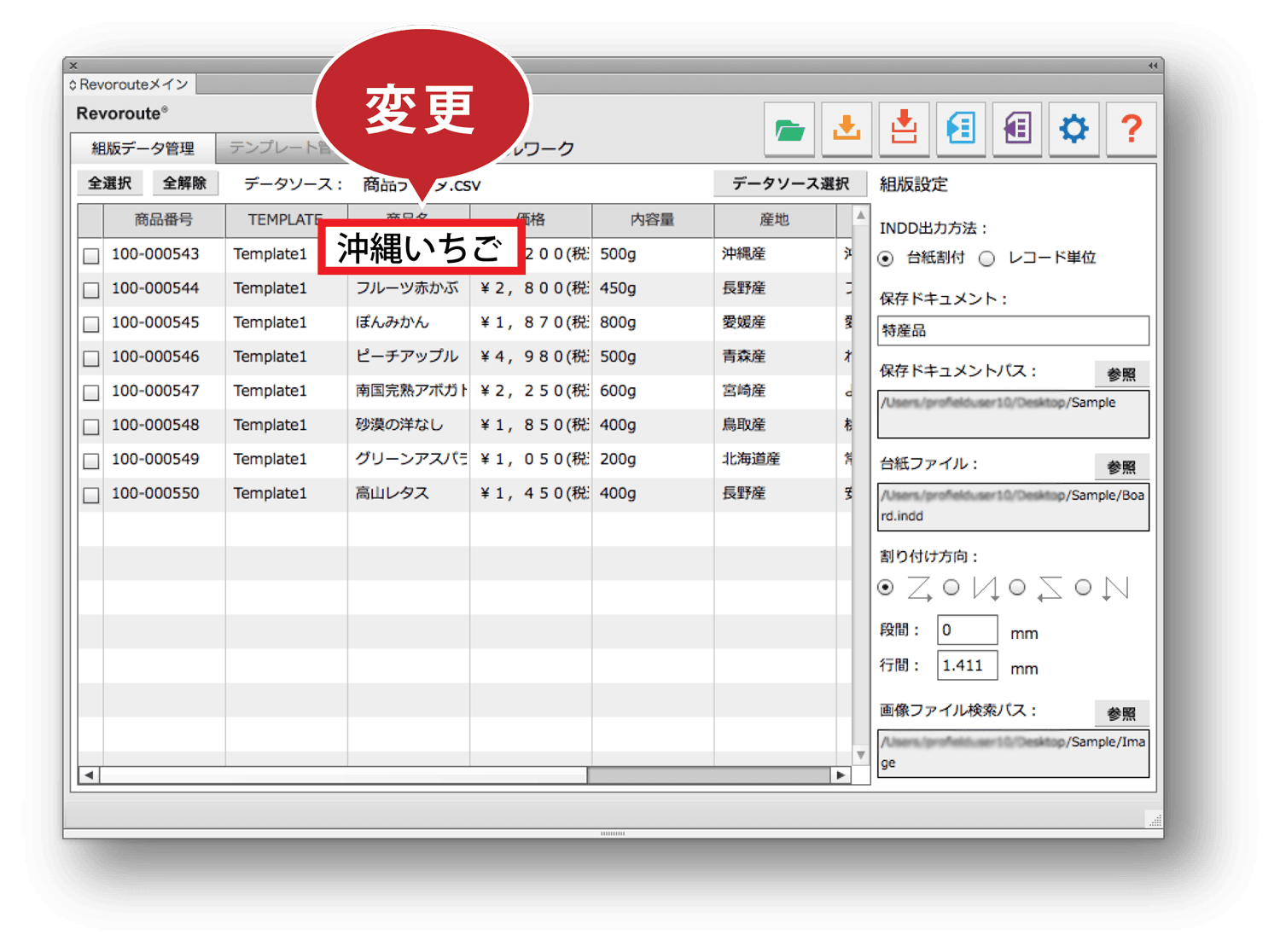
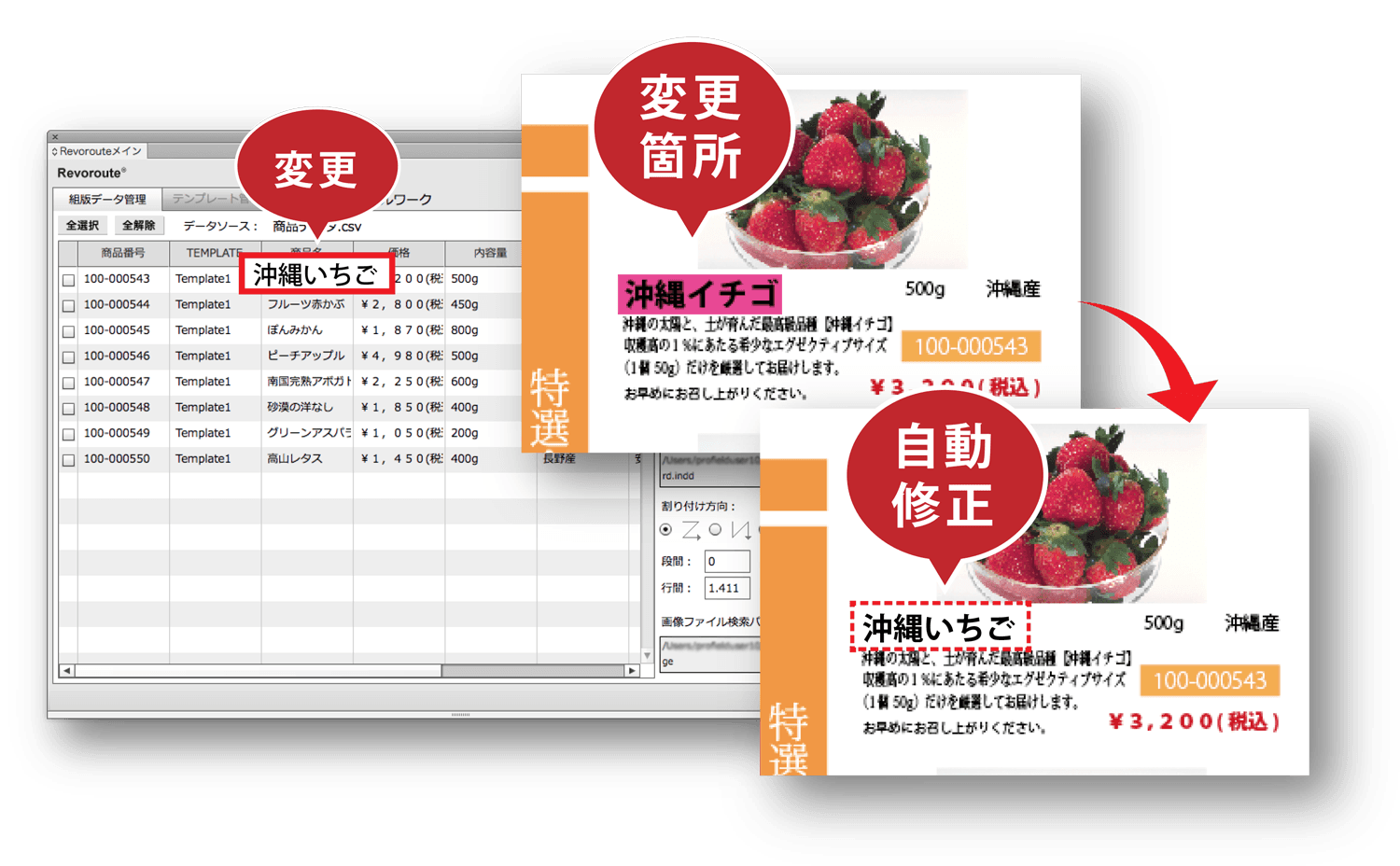
Find and apply changes with one-click difference checking
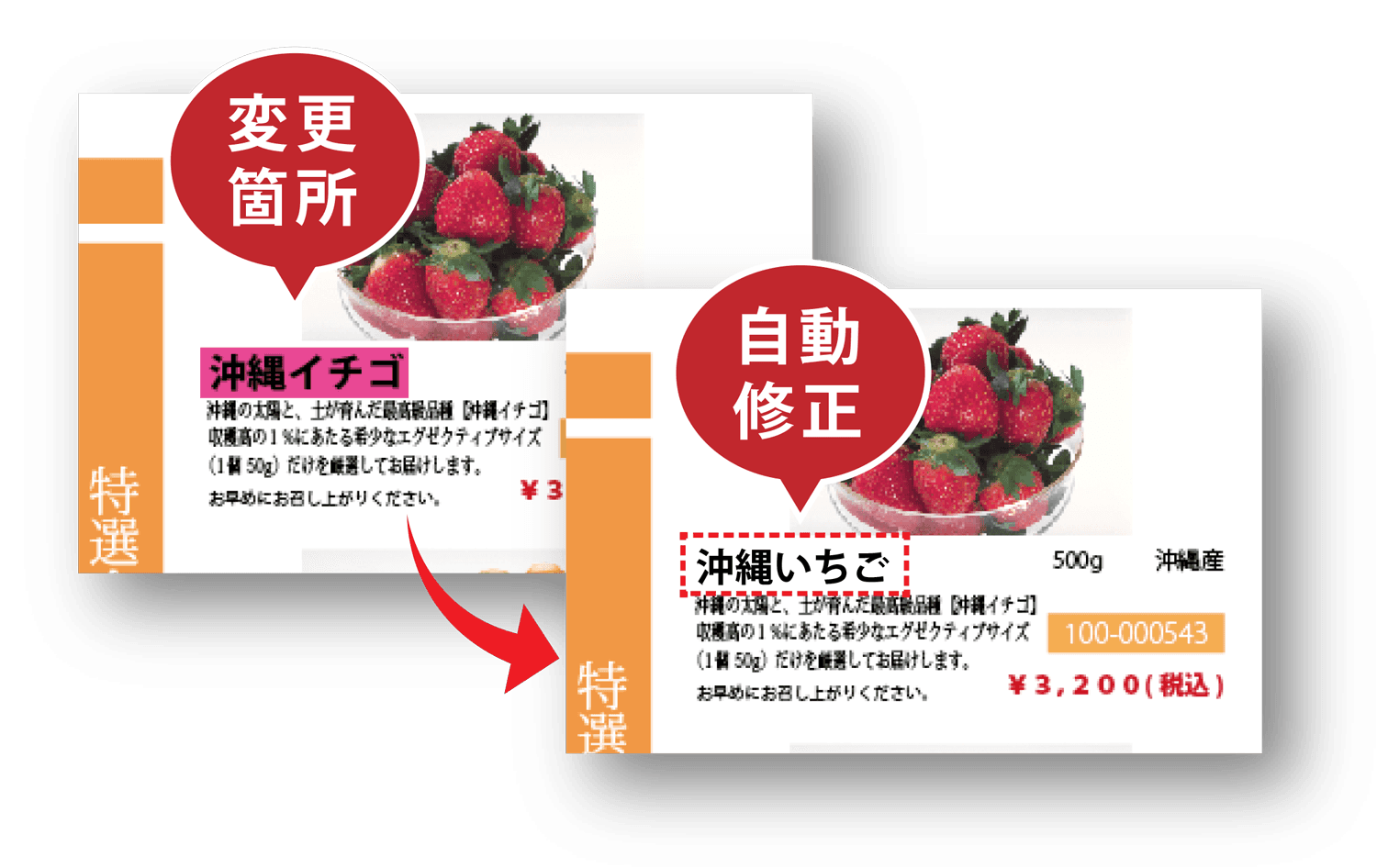
Compare CSV data with text placed in InDesign and detect discrepancies.
Because changed locations are easy to identify, teams can quickly check for missed corrections or missing content.
Ideal for product catalogs, flyers, information magazines and similar media
Strong cost performance
Standard: JPY 55,000 per year, excluding tax
Pro: JPY 198,000 per year, excluding tax
Revoroute is provided on an annual subscription basis.
It helps teams use automated publishing while keeping initial investment low for one-off or short-term projects.
Sample videos using Revoroute
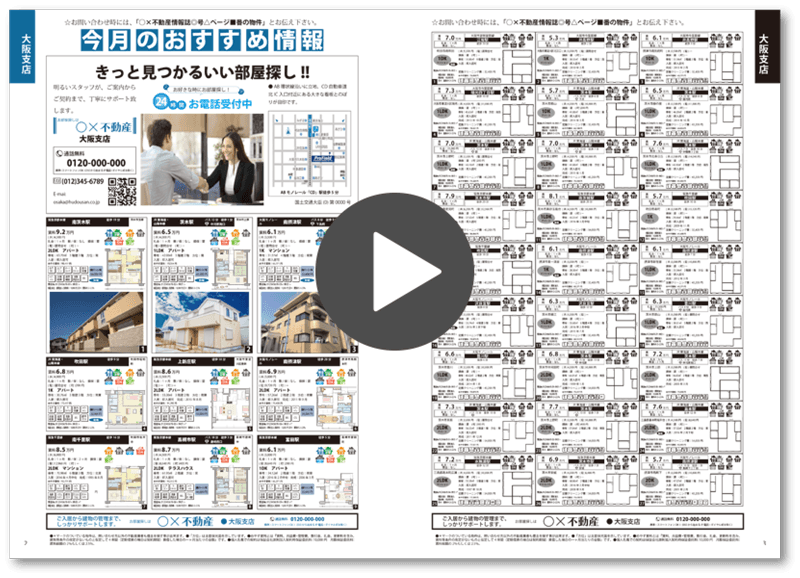
Real estate information magazine demo
This video shows a real estate information magazine produced with Revoroute, including automated placement of small layout blocks.
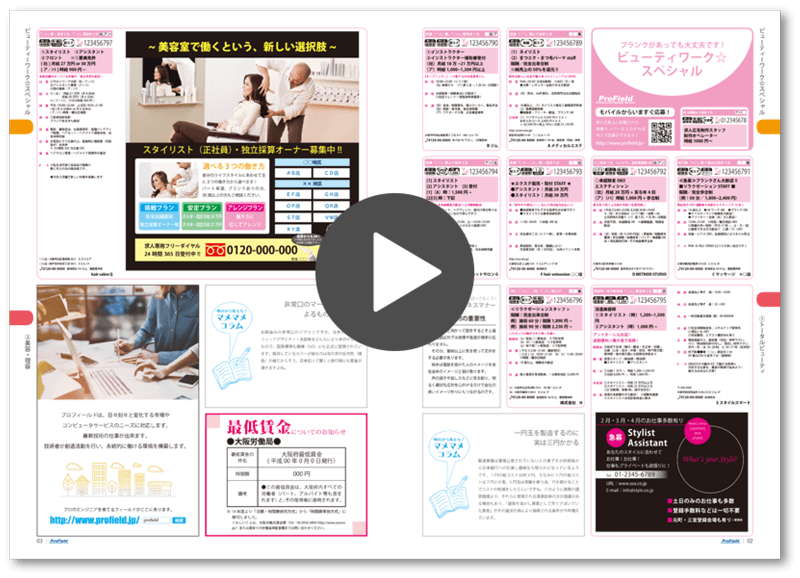
Recruiting information magazine demo
This video shows a recruiting information magazine produced with Revoroute, including interactive automated layout.
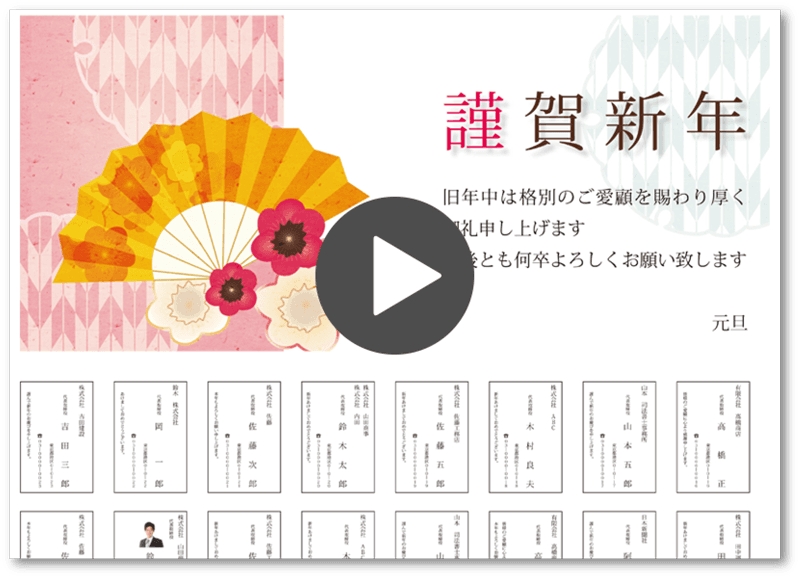
Workflow
Revoroute Automated Layout Workflow
Automated layout with simple operations.
1
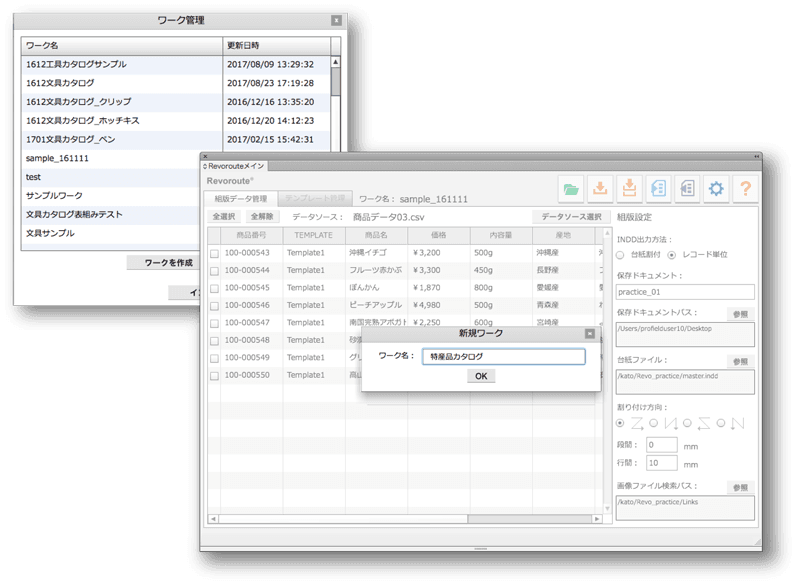
Create a new work item
Create a new work item. Revoroute manages data by production unit.
2
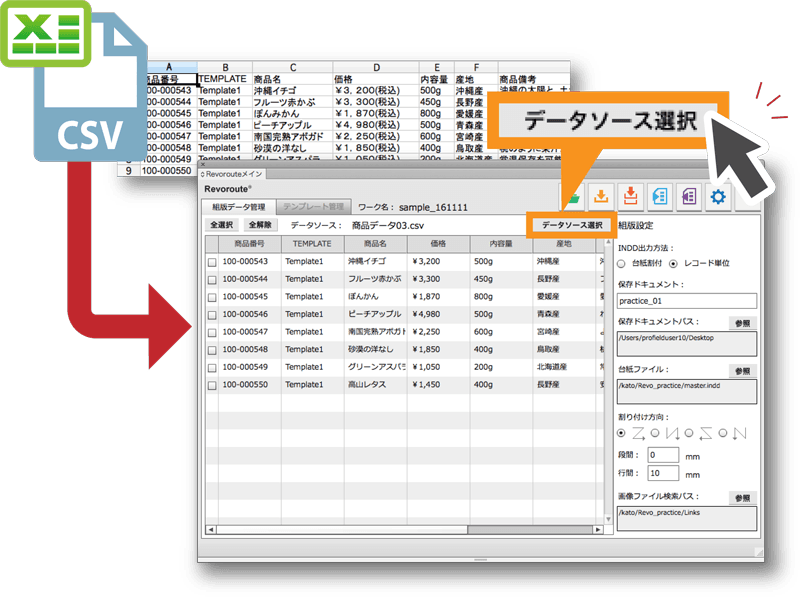
Select a data source
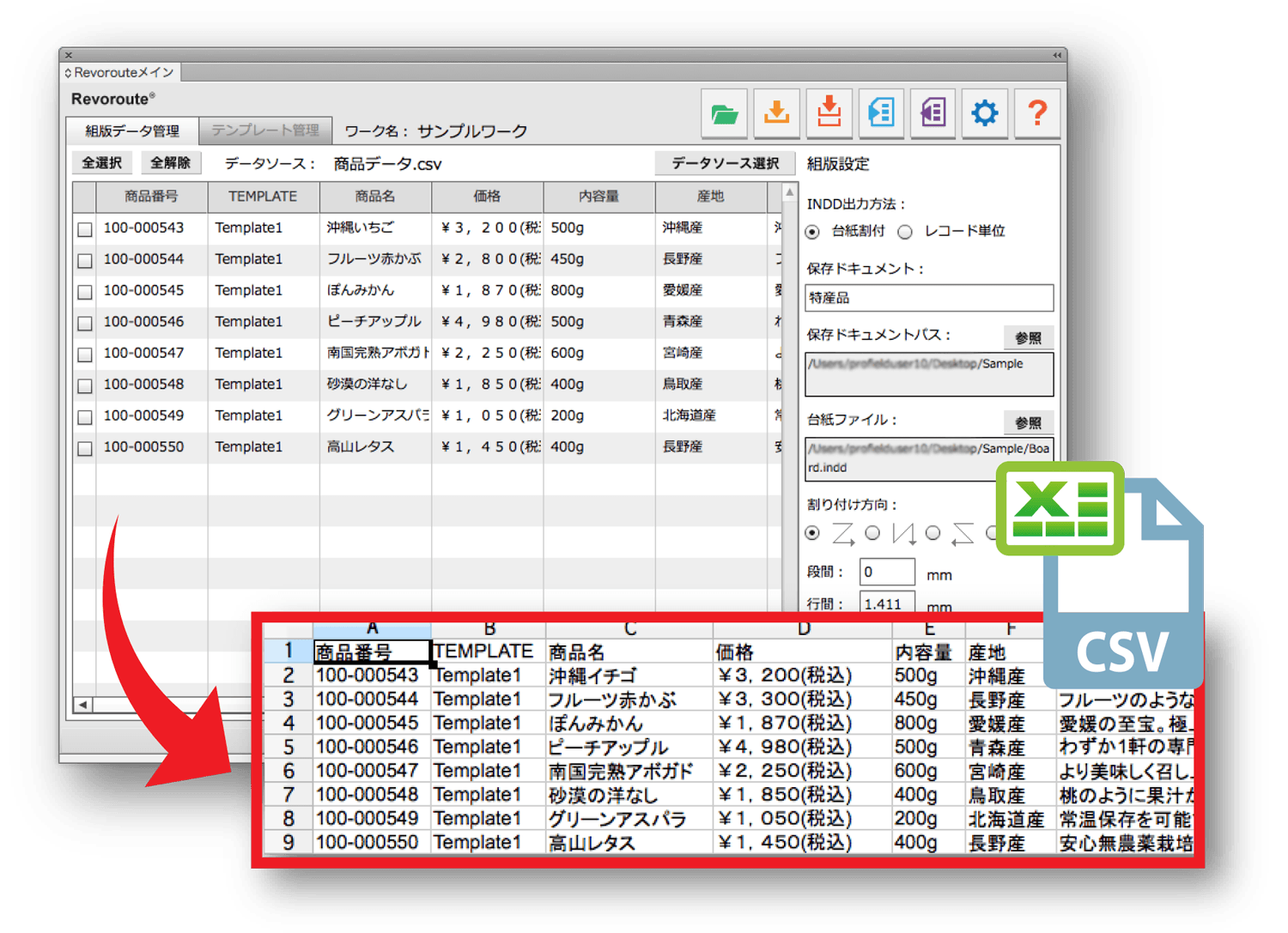
Register data by importing a CSV or TSV file.
3
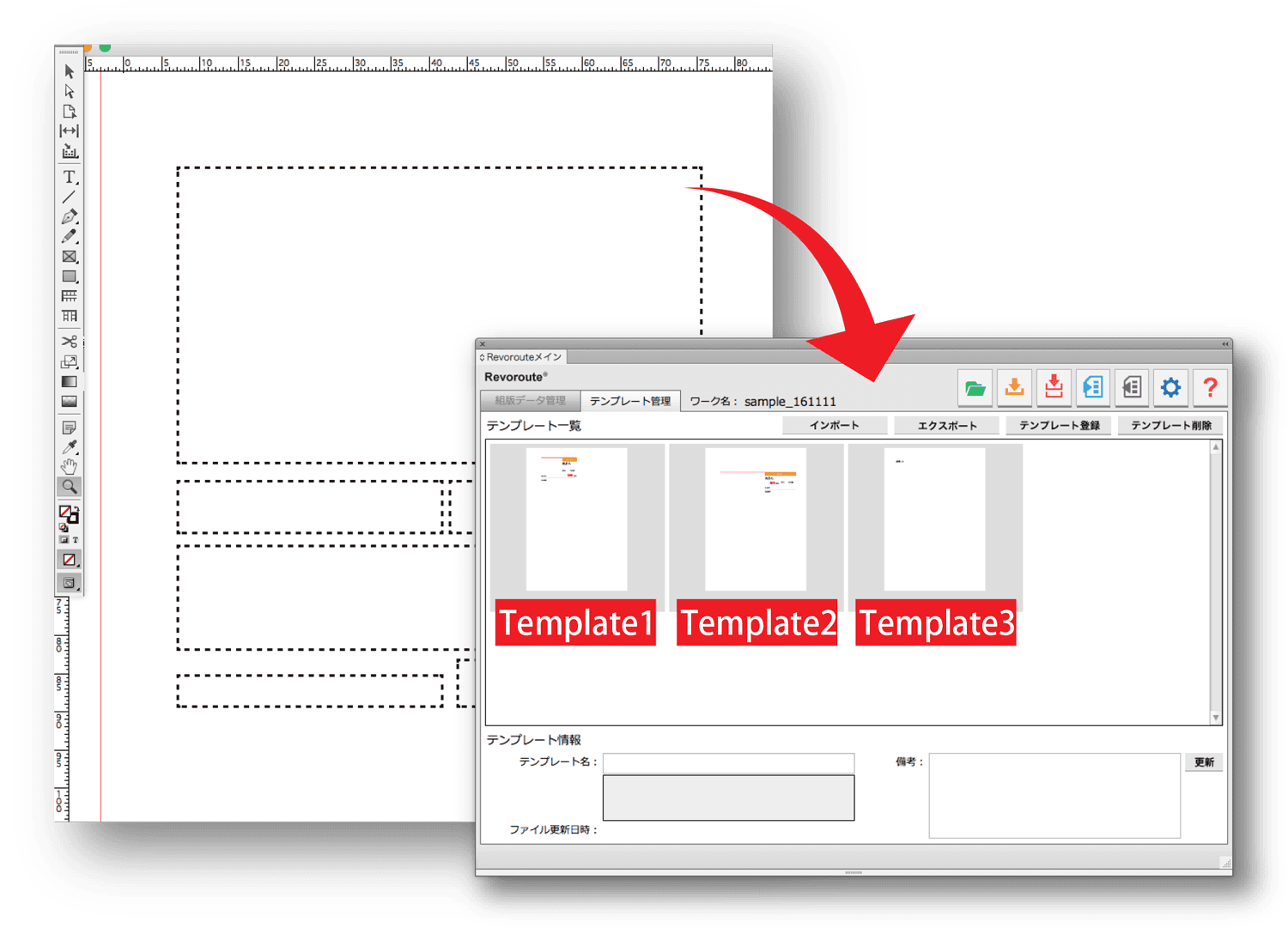
Create a template
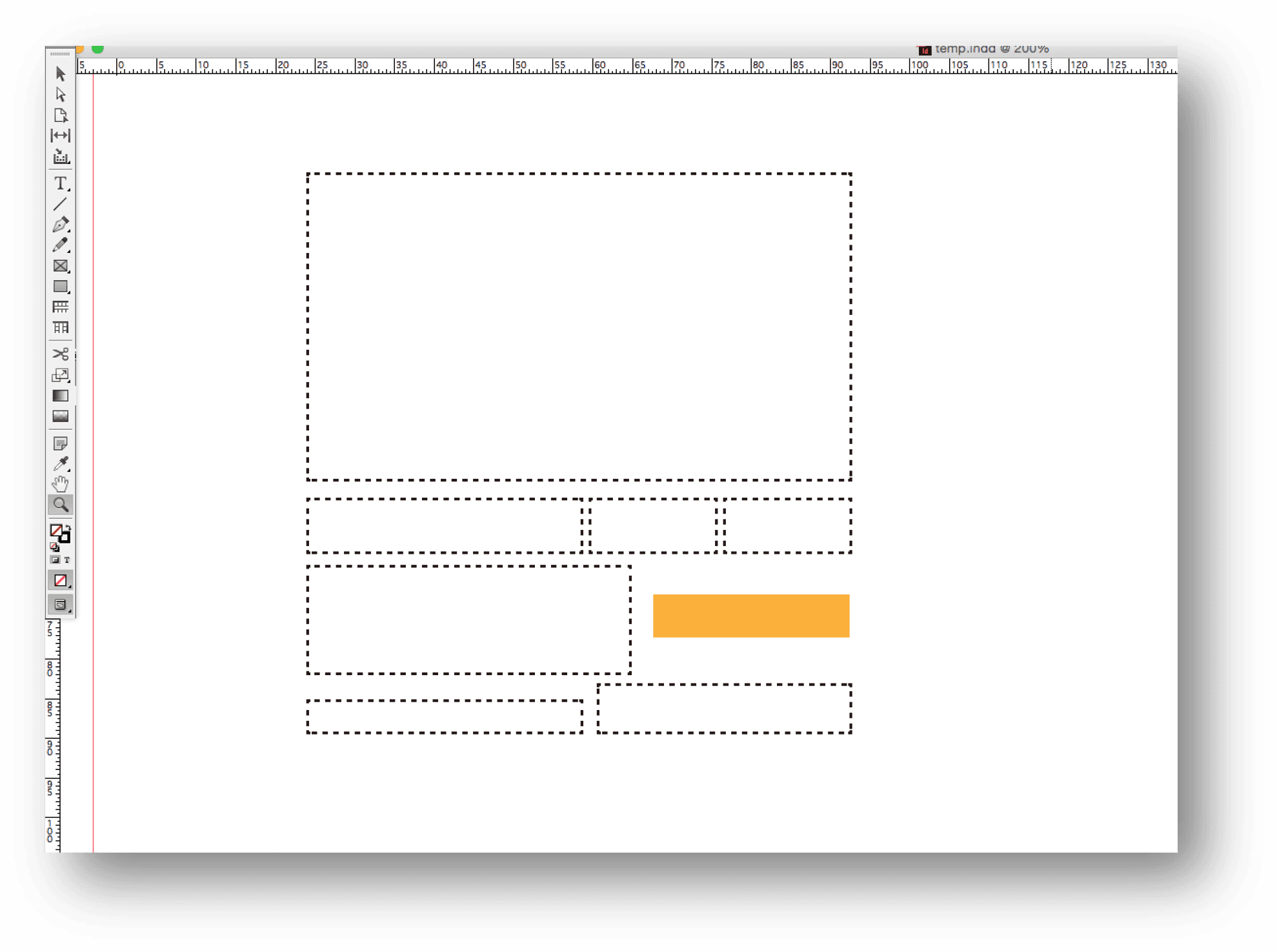
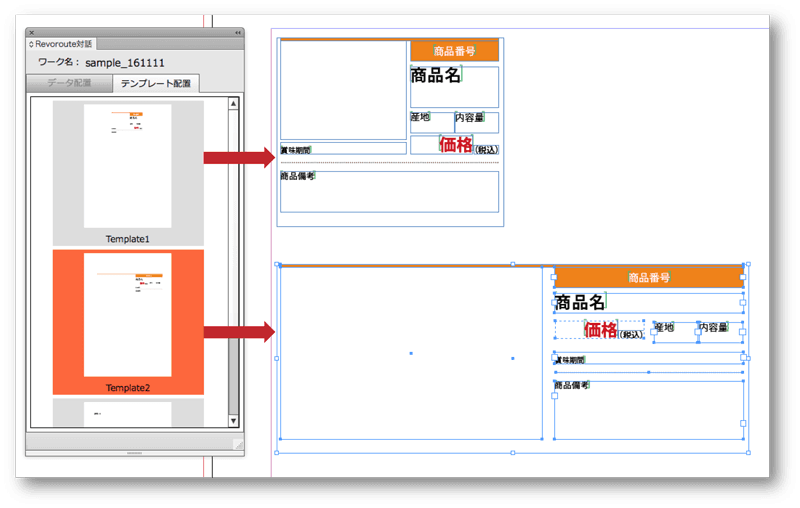
Create a template in InDesign for flowing in data. Template size and placement positions can be configured freely.
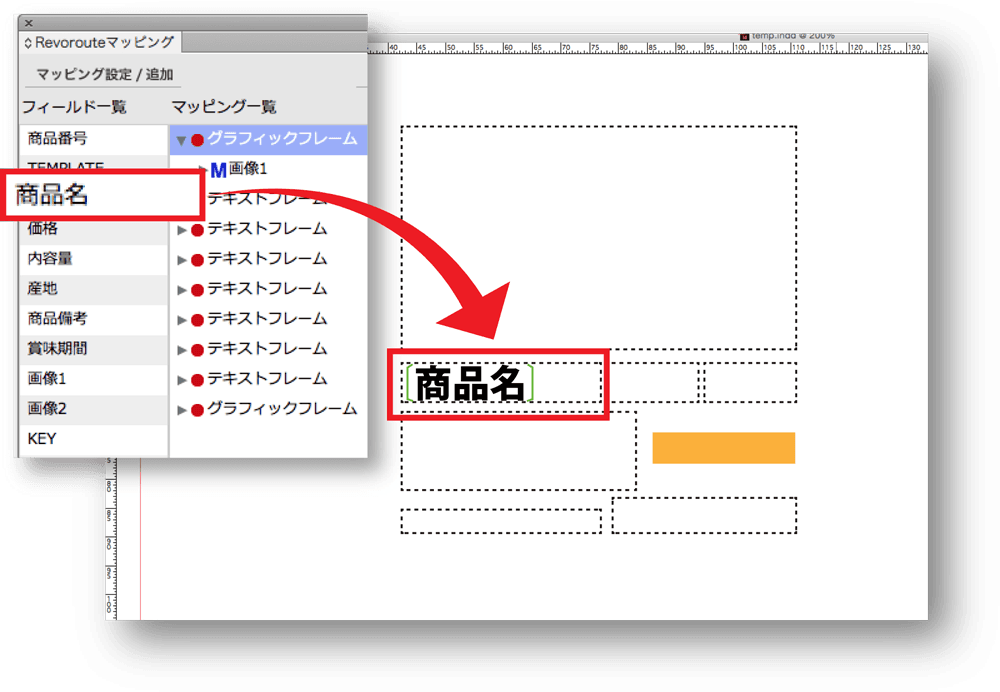
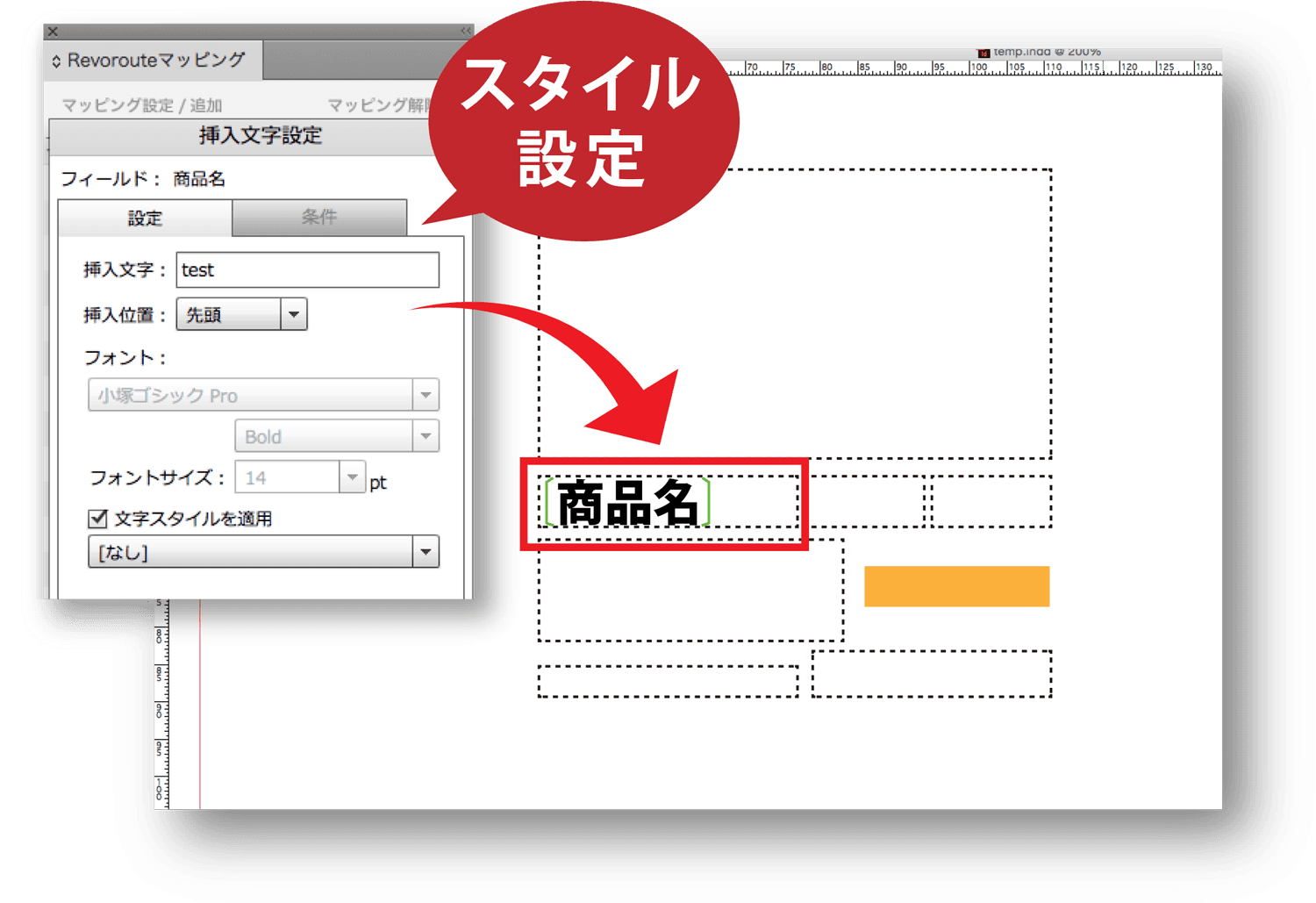
Use the Revoroute mapping palette to map template fields and configure automated layout styles.
Map data
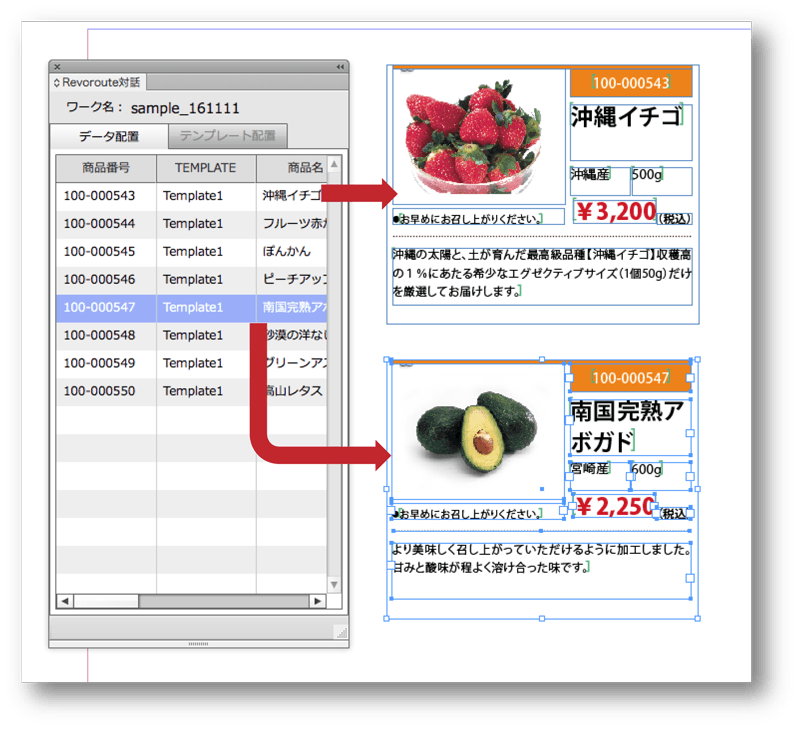
Map imported CSV/TSV fields to layout blocks with straightforward operations.
Configure styles
Configure styles that automatically adjust each mapped field during layout.
Detailed settings are available for image sizing, overflow handling, tables and more.
4
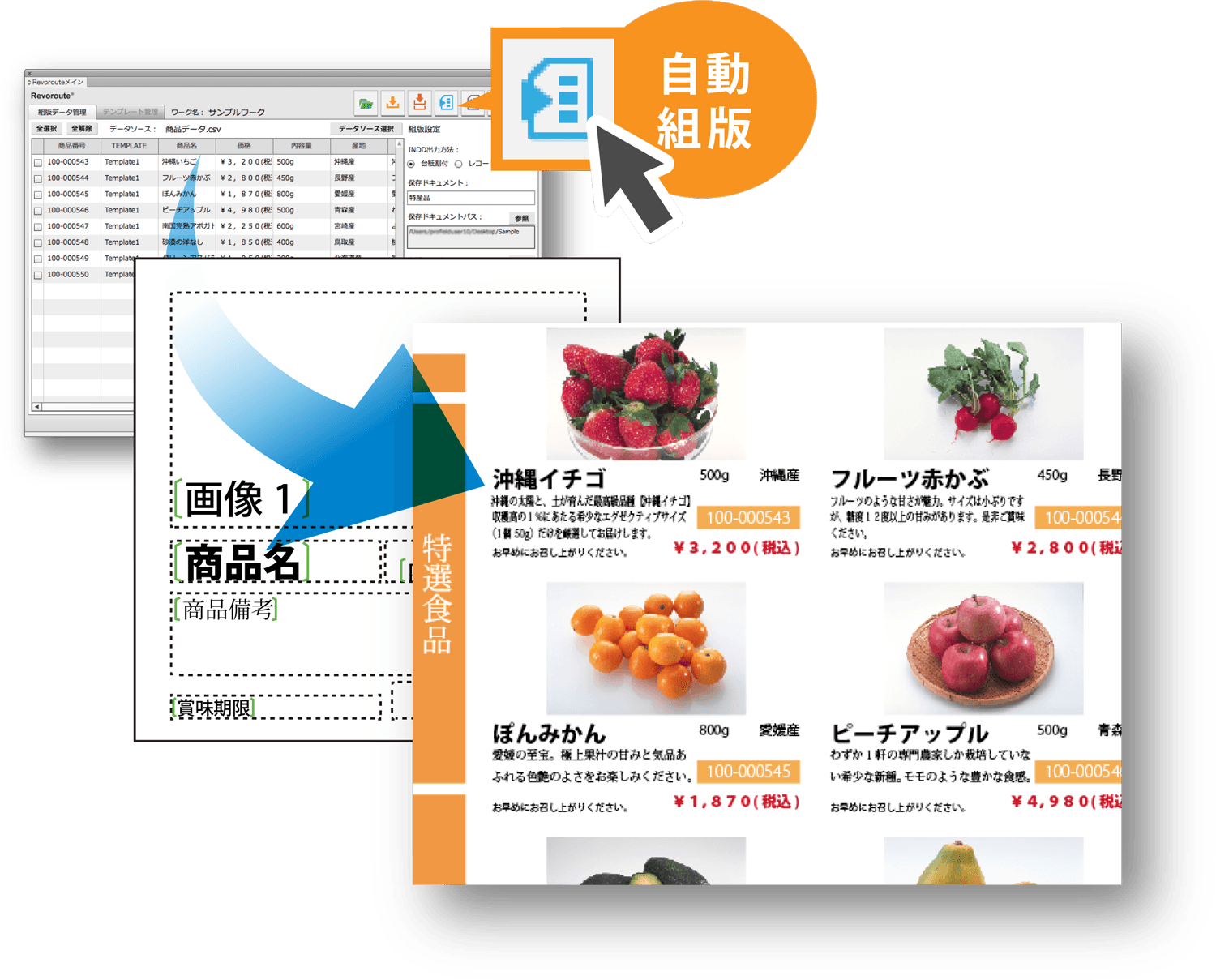
Automated layout
Click the automated layout button to flow CSV/TSV data into the template. This is useful when template order and placement direction are predefined.
Interactive layout
Place templates and data manually.
This is useful for non-standard catalogs, flyers and similar layouts.
Data changes and difference checks are easy after automated layout
Difference check
Check consistency between the composed InDesign file and the data source. Re-import the latest data source, run a difference check and apply updated information where needed.
CSV export
Export the contents of the composed InDesign document to a CSV file. Click CSV export to apply changes to the specified CSV file.
Functions
Revoroute Feature Overview
Production-floor feedback shaped Revoroute into a simple, easy-to-use tool.
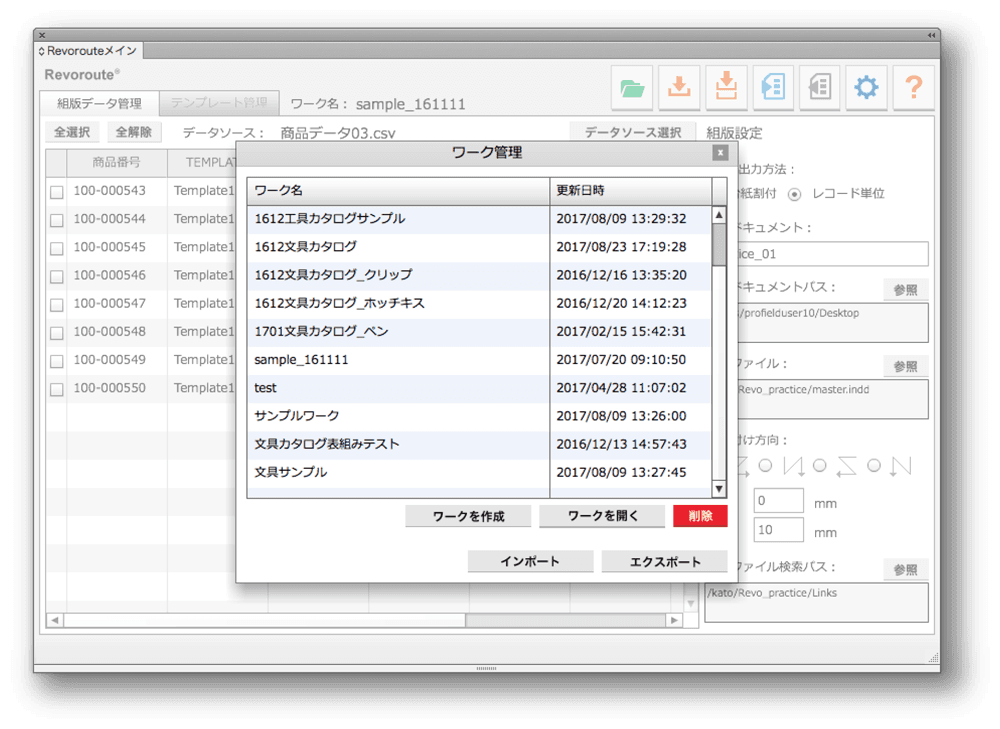
Work management
Work data import/export
Manage templates, data sources and other assets used for automated layout.
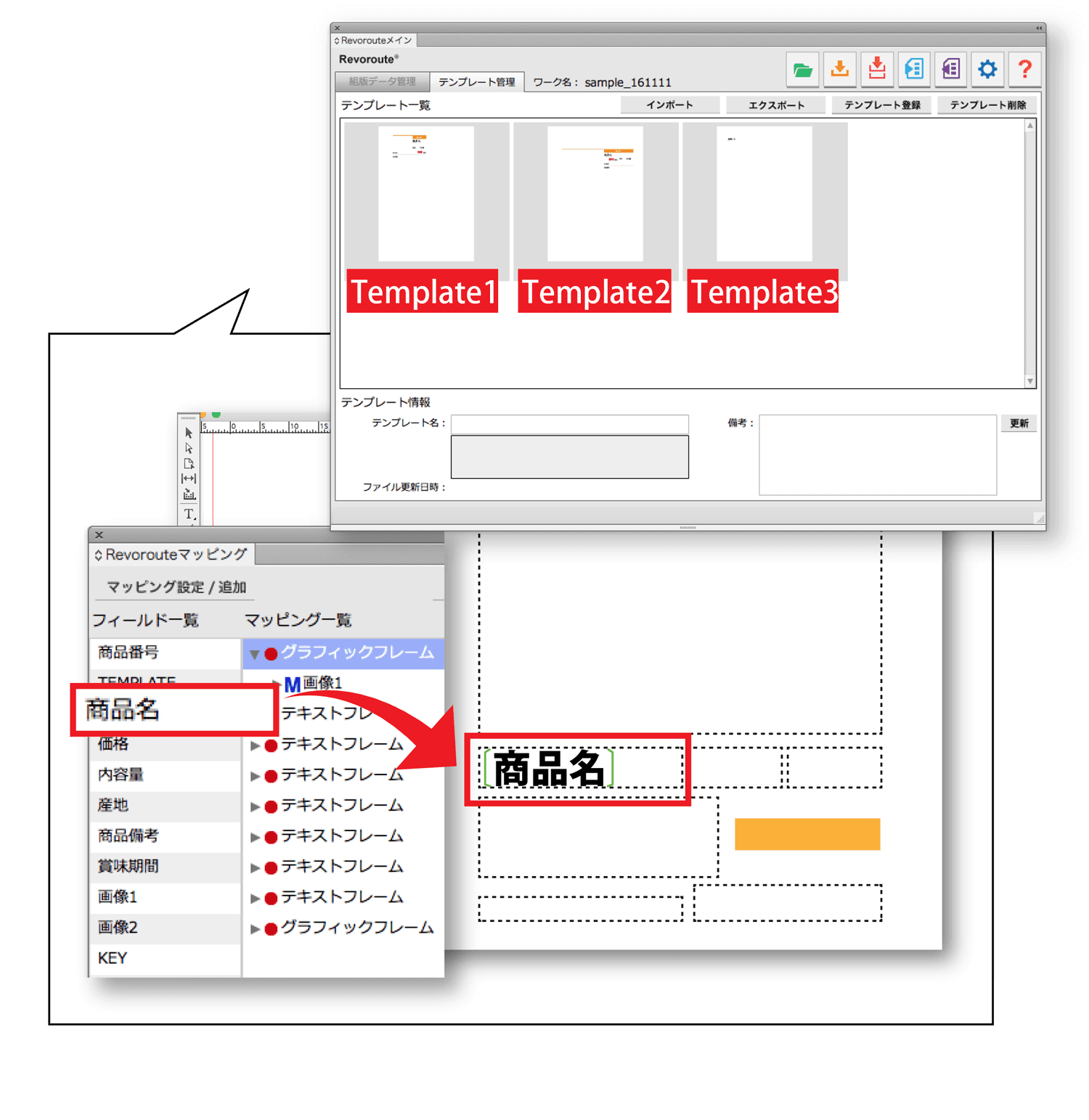
Template creation and management
Template settings
Map data-source fields to text and graphic frames in InDesign, then manage the resulting templates.
Style settings
Text adjustmentTablesFrame and size adjustmentImage size adjustmentDelete empty frames, rows and columnsImage trimming
Configure dynamic styles applied during layout to fields mapped in a template.
Automated layout
Automated layout settingsRun automated layout
Use data specified in the data source and templates to compose InDesign documents automatically.
This is effective when template order and placement direction are predefined.
Layout instructions handle data flow and placement.
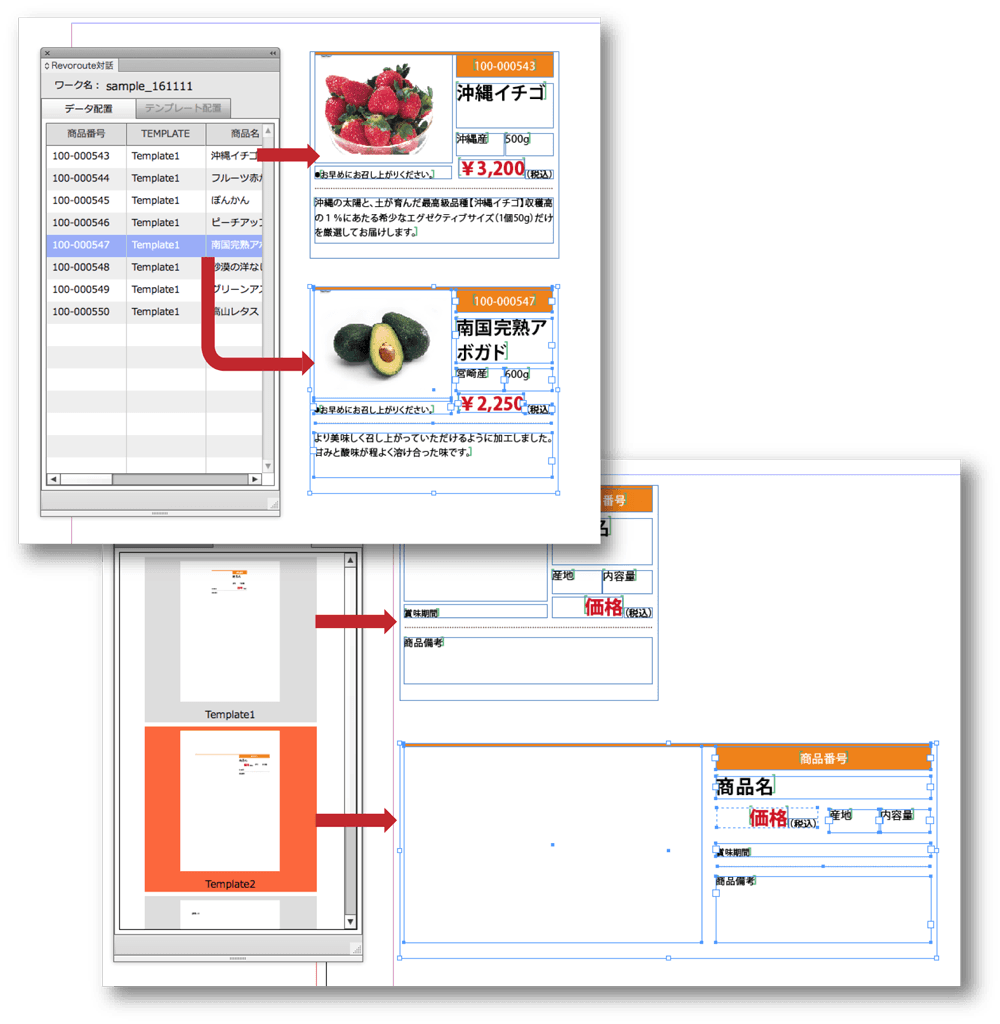
Interactive layout
Template replacement
Place templates and data manually.
When creating non-standard catalogs or flyers, operators can place templates and flow data while editing.
Templates can be dragged and dropped into InDesign documents, and data can be selected for interactive layout.
Difference check
Compare an automatically composed InDesign file with its data source.
When the source data is updated, data can be replaced in the InDesign file.
Revoroute Pro
RevoroutePro Advanced Features
RevoroutePro features
Feature 1
Insert inline images into text frames
Feature 2
Text-related style and frame style settings
Feature 3
Style settings for tables
Feature 4
Conditions by character or paragraph count
Inline image support
Inline images
Earlier versions supported flowing images only into graphic frames. Pro can place images inline within text frames, enabling layouts such as multiple icons after text.

Additional style settings
TextFrames
Text, paragraph and frame styles can be applied automatically during layout. This enables specific styles to be applied to selected text patterns.
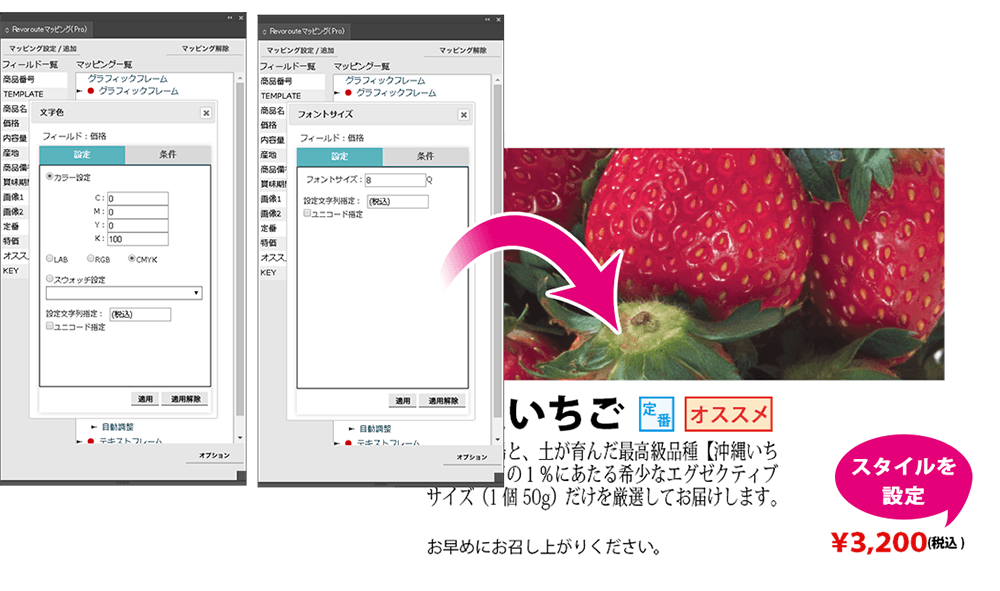
Table-related style settings
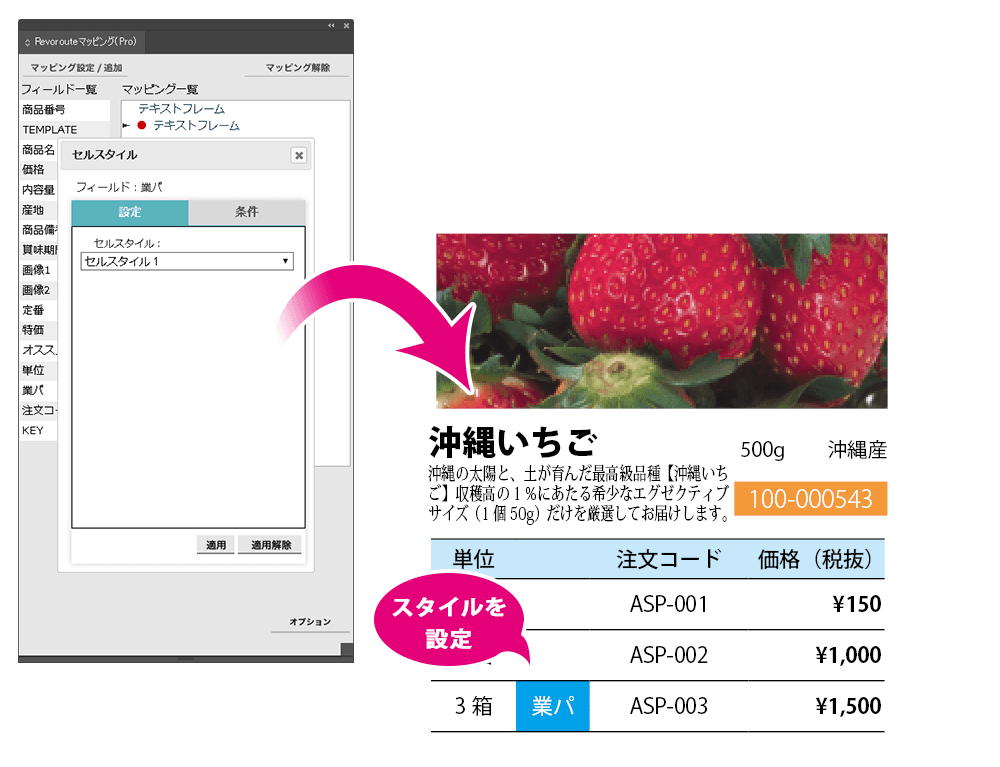
Cell stylesCell colors
Cell styles and cell colors can be applied during automated layout. Specific values in cells can trigger cell styles or colors.
Additional condition settings
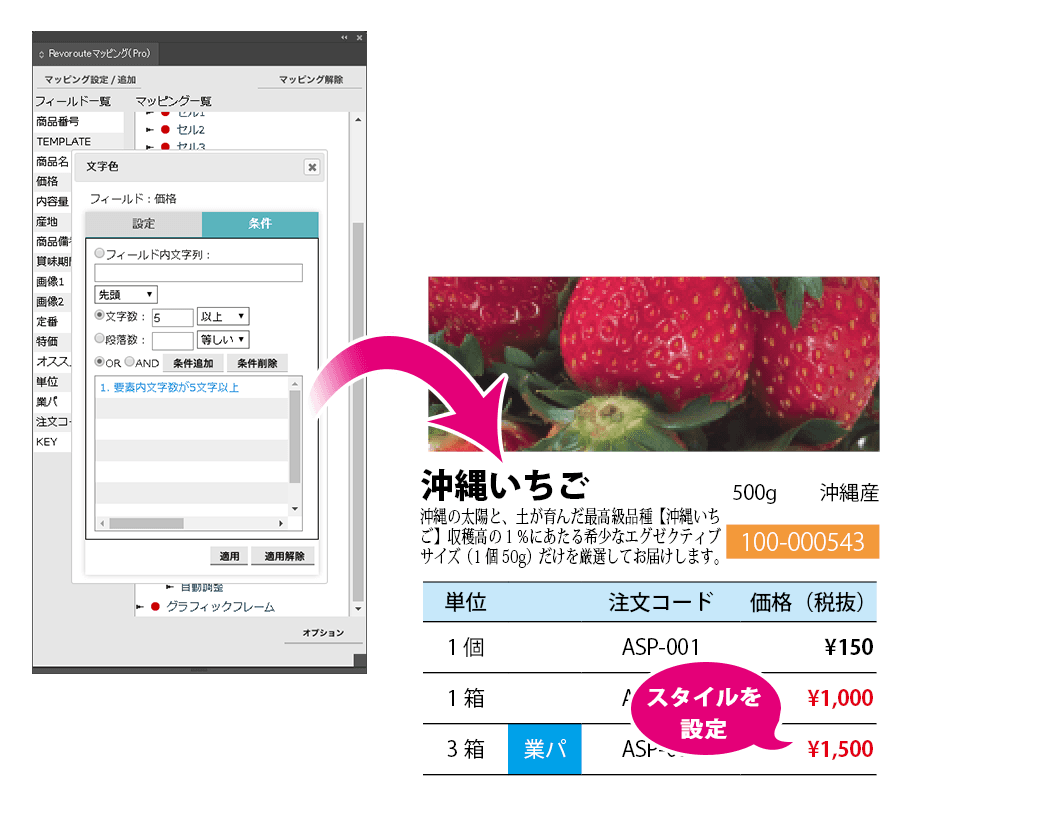
Automated layout conditions
Conditions for applying styles during automated layout can include character and paragraph counts. This makes it possible to apply styles only to text that matches specified lengths.
Comparison
Standard / Pro Feature Comparison
Styling settings
| Category | Feature | Standard | Pro |
|---|---|---|---|
| Text settings | Character styles | Yes | |
| Paragraph styles | Yes | ||
| Fonts | Yes | ||
| Font size | Yes | ||
| Leading | Yes | ||
| Vertical/horizontal scaling | Yes | ||
| Kerning | Yes | ||
| Tracking | Yes | ||
| Tsume | Yes | ||
| Fixed character count | Yes | ||
| Baseline shift | Yes | ||
| Character rotation | Yes | ||
| Skew | Yes | ||
| Spacing | Yes | ||
| Tate-chu-yoko | Yes | ||
| Italic | Yes | ||
| Underline | Yes | ||
| Strikethrough | Yes | ||
| Superscript/subscript | Yes | ||
| Text color | Yes | ||
| Frame | Object size | Yes | Yes |
| Frame color | Yes | ||
| Object styles | Yes | ||
| Tables | Cell styles | Yes | |
| Automatic adjustment | Inserted text | Yes | Yes |
| Line breaks | Yes | Yes | |
| Text replacement | Yes | Yes | |
| Frame position | Yes | Yes | |
| Frame size | Yes | Yes | |
| Vertical/horizontal scaling | Yes | Yes | |
| Tsume | Yes | Yes | |
| Text size | Yes | Yes | |
| Leading | Yes | Yes | |
| Options | Batch conversion order settings | Yes | Yes |
| Delete frames for empty elements | Yes | Yes |
Styling condition settings
| Feature | Standard | Pro |
|---|---|---|
| String inside element | Yes | Yes |
| Character count | Yes | |
| Paragraph count | Yes |
Other features
| Feature | Standard | Pro |
|---|---|---|
| Inline object support | Yes | |
| Template interaction | Yes | Yes |
| Interactive layout | Yes (data placement) | Yes (data placement) |
| Template creation | Yes | Yes |
| Work management | Yes | Yes |
| Difference check and apply | Yes | Yes |
Request a trial version
Profield encourages customers to try the trial version first and confirm its value before purchasing. Corporate users only.
Contact / Consultation
Discuss Revoroute implementation and operations
Tell us about your current workflow and requirements. We will guide you through suitable configurations, implementation steps, materials, demos and environment checks.
Requirements review
We clarify your workflow, production structure and data management requirements.
Materials and demos
We provide product materials and demo guidance based on your use case.
Environment checks
We review system requirements, integrations and operational prerequisites.