
ProDIX Standard Edition
ProDIX includes easy-to-use functions for flexible automated layout settings, including styling set guides, powerful difference checking, swatch assignment and layer retention during template placement.
ProDIX
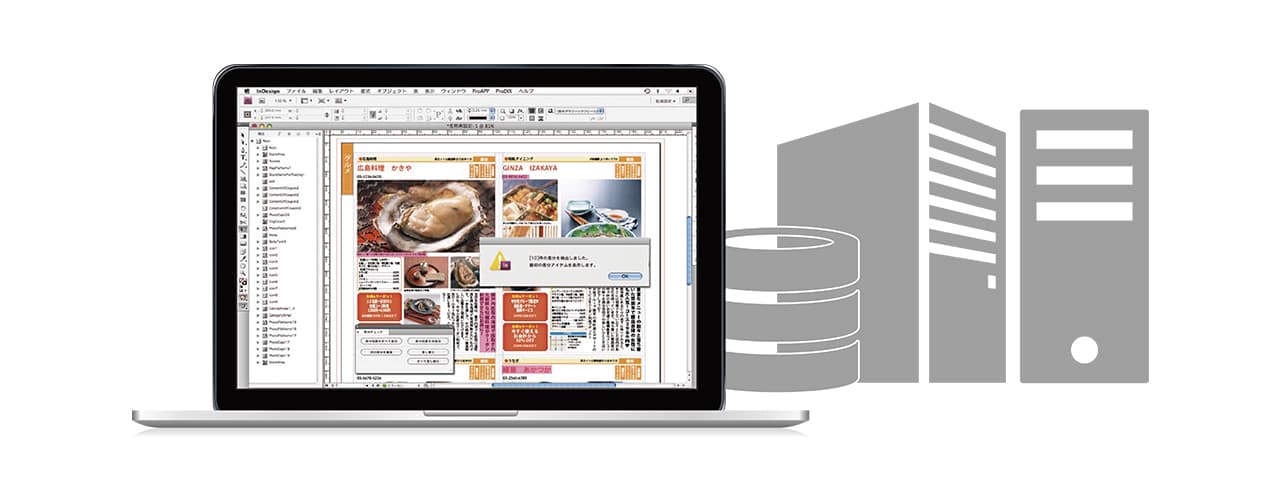
Overview
ProDIX
The ProDIX product family supports publishing solutions based on XML data structures, from template creation for automated layout in Adobe InDesign to automatic mapping of XML data and styles, automated composition using XML data and XML export from layout data.
ProDIX automates style control in Adobe InDesign documents and links XML data elements with styles, enabling batch conversion of XML data into styles and supporting practical, high-productivity web publishing workflows through XML data.
ProDIX automated layout supports high-quality composition for many page formats including catalogs, flyers, newspapers, magazines, manuals and public relations media.
Lineup
ProDIX provides a product lineup that supports different publishing workflows according to customer needs.
ProDIX includes easy-to-use functions for flexible automated layout settings, including styling set guides, powerful difference checking, swatch assignment and layer retention during template placement.
In addition to all ProDIX functions, ProDIX DB links with databases through XCMS to support difference checks between layout text and database information as well as integrated DTP production support with content management.
ProDIX Server works with XCMS and Adobe InDesign Server to provide server-side automated publishing.
ProDIX Standard Edition and ProDIX DB can be used with specialized composition, interactive and instruction clients to build cost-effective automated publishing environments suited to each purpose.
Functions
Flow data into small templates and place them in the layout.

Resize text frames according to text and images, apply styles, automatically create or remove pages based on page count and support many table styles.

Drag and drop templates or InDesign files from previews to place them in the layout.

Automatically place small layout units created as InDesign files.

A guide function makes styling sets for XML automated publishing easier to configure for catalog composition, manual data flows and other purposes.
Check differences between text placed in the layout and the latest data in databases or files. Warning displays and accurate data replacement support editing workflows.
Assign colors specified by swatches to text tags, frame tags and table tags to make color settings and re-editing more efficient.
Layer information from templates can be inherited by destination documents, making it easier to manage placed objects after automated layout.
ProDIX integrates closely with the XCMS content management system. Together they centralize publishing data management and send XML conversion and automated composition instructions directly from the database.
After automated composition, edited content can be written back to the database as XML, and XML conversion and validation can be handled in XCMS. This workflow reduces database-lock performance impact and lowers infrastructure constraints.
ProDIX Server is a server-side automated layout plug-in for Adobe InDesign Server that uses the full feature set of the desktop ProDIX product. It receives composition commands from web browsers, rich internet applications and other external programs and outputs INDD, EPS, PDF and other formats.
Combined with the server publishing linkage functions of XCMS, ProDIX Server can build automated publishing solutions for many industries.
New Features
A guide function makes styling sets for XML automated publishing easier to configure for catalog composition, manual data flows and other purposes.
Check differences between text placed in the layout and the latest data in databases or files. Warning displays and accurate data replacement support editing workflows.
Assign colors specified by swatches to text tags, frame tags and table tags to make color settings and re-editing more efficient.
Layer information from templates can be inherited by destination documents, making it easier to manage placed objects after automated layout.
ProDIX integrates closely with the XCMS content management system. Together they centralize publishing data management and send XML conversion and automated composition instructions directly from the database.
After automated composition, edited content can be written back to the database as XML, and XML conversion and validation can be handled in XCMS. This workflow reduces database-lock performance impact and lowers infrastructure constraints.
ProDIX Server is a server-side automated layout plug-in for Adobe InDesign Server that uses the full feature set of the desktop ProDIX product. It receives composition commands from web browsers, rich internet applications and other external programs and outputs INDD, EPS, PDF and other formats.
Combined with the server publishing linkage functions of XCMS, ProDIX Server can build automated publishing solutions for many industries.
Requirements
Windows: personal computer with a 1.5 GHz or faster processor; Microsoft Windows XP SP2 or Windows Vista Home Premium, Business, Ultimate or Enterprise SP1; Adobe InDesign CS4/CS5/CS6/CC2015; 512 MB RAM for Windows XP or 1 GB RAM for Windows Vista; 1.8 GB free disk space; display supporting 1024 x 768 or higher resolution, 1280 x 800 recommended; CD-ROM drive.
Macintosh: PowerPC G5 or Intel processor; Mac OS X 10.4.11 to 10.5.4; Adobe InDesign CS4/CS5/CS6/CC2015; 1 GB RAM; 1.6 GB free disk space; display supporting 1024 x 768 or higher resolution, 1280 x 800 recommended; CD-ROM drive.
Windows Server: 2 GHz or faster x86 or x64 processor; Microsoft Windows Server 2003 SP2, 32-bit or 64-bit; Adobe InDesign CS4/CS5/CS6/CC2015 Server for Windows; 2 GB RAM or more recommended; 1 GB free disk space; CD-ROM drive.
Mac OS X Server: Intel processor; Mac OS X 10.4.11 to 10.5.4 Server; Adobe InDesign CS4/CS5/CS6/CC2015 Server for Macintosh; 1.6 GB free disk space; 2 GB RAM or more recommended; add 256 MB for each additional instance; CD-ROM drive; installation on UFS or HFS formatted volumes or partitions is not supported.
Comparison
| Feature | ProDIX Standard | ProDIX DB | Composition Client | Interactive Client | Instruction Client |
|---|---|---|---|---|---|
| Template creation: XML | Yes | Yes | |||
| Layout template creation | Yes | Yes | |||
| INDD composition with XML structure retained | Yes | Yes | Yes | ||
| Data flow processing | Yes | Yes | Yes | ||
| Composition instructions | Yes | Yes | |||
| Template copy and paste | Yes | Yes | Yes | Yes | Yes |
| Template duplication | Yes | Yes | Yes | Yes | Yes |
| XML placement | Yes | Yes | Yes | Yes | Yes |
| Document placement | Yes | Yes | Yes | Yes | Yes |
| Batch XML conversion | Yes | Yes | Yes | Yes | Yes |
| Selected-element batch XML conversion | Yes | Yes | Yes | Yes | Yes |
| Flowed-element batch XML conversion | Yes | Yes | Yes | Yes | Yes |
| XML replacement | Yes | Yes | Yes | Yes | Yes |
| Batch XML replacement | Yes | Yes | |||
| XML save | Yes | Yes | Yes | Yes | Yes |
| Batch XML save | Yes | Yes | |||
| Table of contents generation | Yes | Yes | |||
| Running header generation | Yes | Yes | |||
| Index generation | Yes | Yes | |||
| Cross references | Yes | Yes | |||
| Template selection | Yes | Yes | Yes | ||
| Layout data selection | Yes | Yes | Yes | ||
| Layout registration | Yes | Yes | Yes | ||
| XML data selection | Yes | Yes | Yes | ||
| Text holding | Yes | Yes | Yes | Yes | Yes |
| Create new styling group and set | Yes | Yes | |||
| Rename XML styling group and set | Yes | Yes | Yes | Yes | Yes |
| Duplicate XML styling group and set | Yes | Yes | |||
| Delete XML styling group and set | Yes | Yes | Yes | Yes | Yes |
| Import XML styling group and set | Yes | Yes | Yes | Yes | Yes |
| Export XML styling group and set | Yes | Yes | |||
| XML styling import settings | Yes | Yes | |||
| XML styling tag settings: text | Yes | Yes | |||
| XML styling tag settings: frame | Yes | Yes | |||
| XML styling tag settings: table | Yes | Yes | |||
| XML styling tag settings: automatic adjustment | Yes | Yes | |||
| XML batch conversion option tag settings | Yes | Yes | |||
| Special character attribute settings | Yes | Yes | Yes | Yes | Yes |
| Database linkage | Yes | Yes* | Yes* | Yes* |
Yes: included in the package.
* ProDIX DB composition, interactive and instruction client products support database and related linkage.
Contact / Consultation
Tell us about your current workflow and requirements. We will guide you through suitable configurations, implementation steps, materials, demos and environment checks.
We clarify your workflow, production structure and data management requirements.
We provide product materials and demo guidance based on your use case.
We review system requirements, integrations and operational prerequisites.