

Produce catalogs in a web browser
Because work is performed in a web interface, teams can produce catalog drafts without operating DTP software directly.
Catalog XCMS

Overview
From creating to selecting
Catalog XCMS enables teams to produce catalogs from page planning through first proof without specialized DTP knowledge.
By expanding the database-driven workflow, teams can handle print and publishing media such as catalogs while also connecting content to mobile devices, information appliances, EC sites and other channels.
Because work is performed in a web interface, teams can produce catalog drafts without operating DTP software directly.

Page planning, shelf allocation, block editing, table/spec creation and previews can be handled in the browser.
This greatly shortens the time required to produce a first proof.

When product data is revised, changes can be reflected in DTP data.
Showing and applying changed locations in the DTP layout helps reduce editing mistakes.

Detailed table settings can be created in the web interface, reducing the burden of data preparation. Teams can immediately preview table images and work efficiently.

Catalog XCMS lets teams revise and review catalog pages from a web browser, making it easier to support remote work, flexible schedules and other changing work styles.
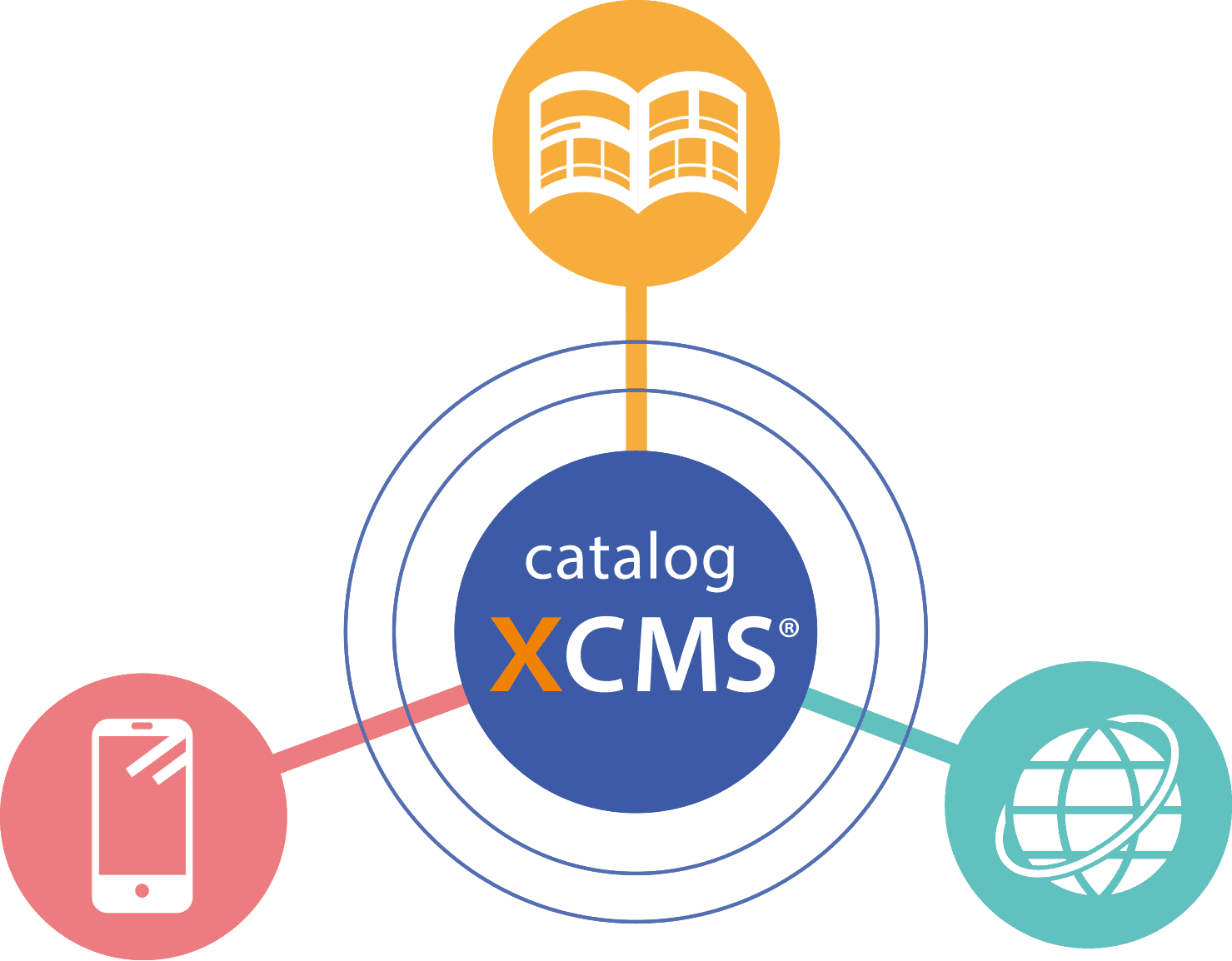
By expanding the database workflow, teams can build publishing workflows for print media, mobile content, information appliances, EC integration and other channels.
Information stored in the database is reflected directly, eliminating copy-and-paste mistakes in DTP software and reducing time and proofing costs caused by unnecessary information exchange.
Complex tables, image placement and layout adjustments can be performed in the browser, enabling catalog draft production without specialized DTP knowledge.
Catalog XCMS automates consistency checks, corrections and input verification that previously depended on manual work. Browser-based operation also supports varied work styles.
Before Implementation
After first-proof completion, even minor edits such as text corrections, block reordering or page replacement required instruction sheets for the production team. The production team then needed time to review the instructions before editing.
When producing the next issue from a completed catalog, even small text changes required instructions and a production request.
Result after implementation
Catalog XCMS enabled non-production staff to make revisions in the browser, reducing instruction-sheet work and improving efficiency through immediate PDF previews.
Next-issue catalogs can be produced from completed catalog data, so small text or icon changes can be edited in Catalog XCMS while preserving the InDesign layout.
Before Implementation
A first proof was produced from product information in Excel, but the information later turned out to be outdated and the work had to be redone.
Copying product information from Excel into DTP software caused incorrect information to be published, delaying the first proof and affecting the overall schedule.
Result after implementation
Updated database information is reflected directly in Catalog XCMS, so the latest data is used after registration changes. Direct database reflection also removes copy-and-paste work and reduces transcription errors.
Before Implementation
During catalog production, some product images had been updated, but old images were submitted at delivery.
Result after implementation
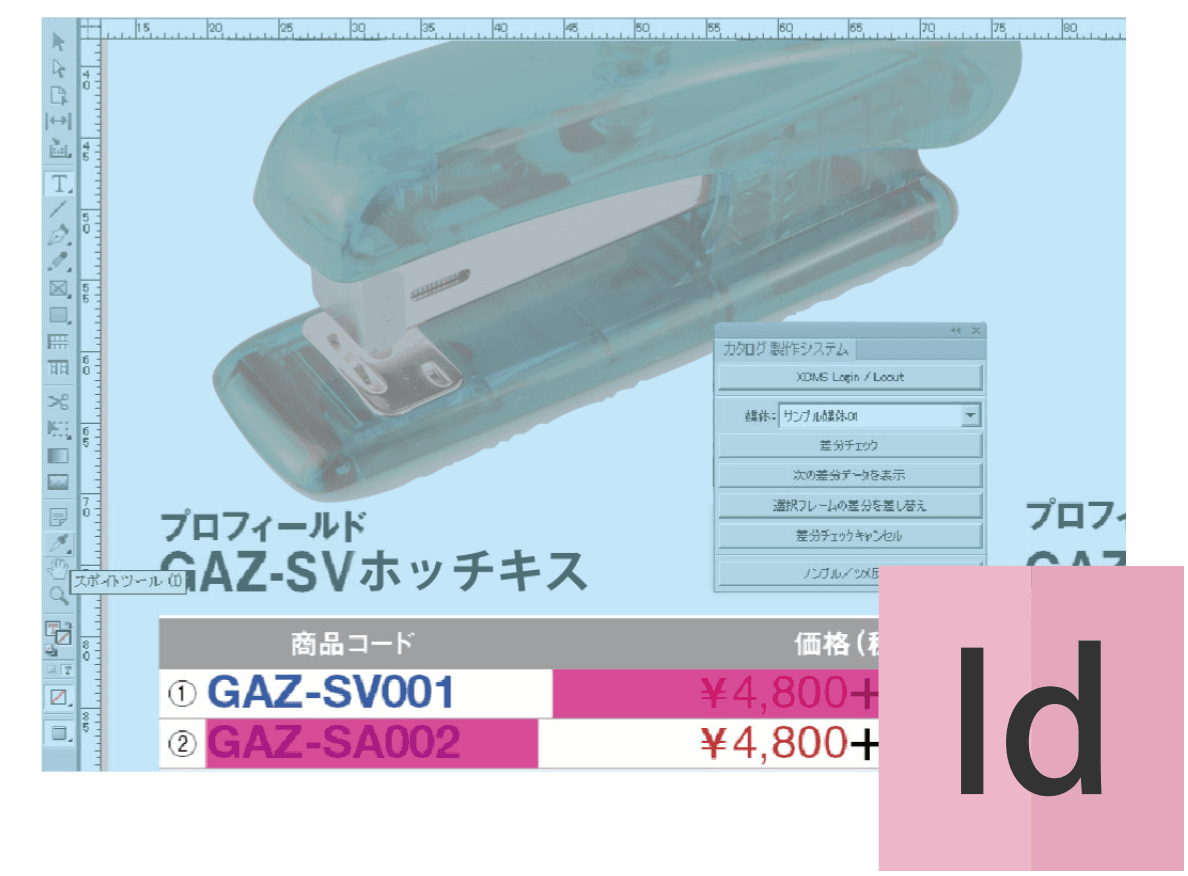
Using the InDesign plug-in, teams can run difference checks on images, icons and text, identify changes and reflect them in the page efficiently.
Workflow
 Planning / MD
 Production company
Import, edit and manage product and catalog production data centrally in the CMS.
Benefit
Central CMS management enables linkage with page numbering and index information for production assets.

Profield provides XCMS-PIM for product information registration and management.
By linking with XCMS-PIM, the flow from product information entry, update and management through catalog production can be automated more smoothly.
Page layouts, block layouts, block editing, table/spec creation and previews can be handled in the browser.
Benefit
After layout, automated composition enables immediate review of a rough first-proof image.
Catalog information can be composed using InDesign Server, completing the rough layout.
Benefit
Submitting rough-layout InDesign data reduces editing work for the production team.
Data consistency can be maintained even when layouts are adjusted.
Benefit
Text input errors during DTP editing can be reduced.
Benefit
Reflecting database changes across all listed products reduces correction mistakes during editing.
Index and product information can be extracted and exported in bulk from Catalog XCMS.
Benefit
Index and data extraction costs and time are eliminated.
Functions
Planning / MDProduction companyLay out products in a web browser
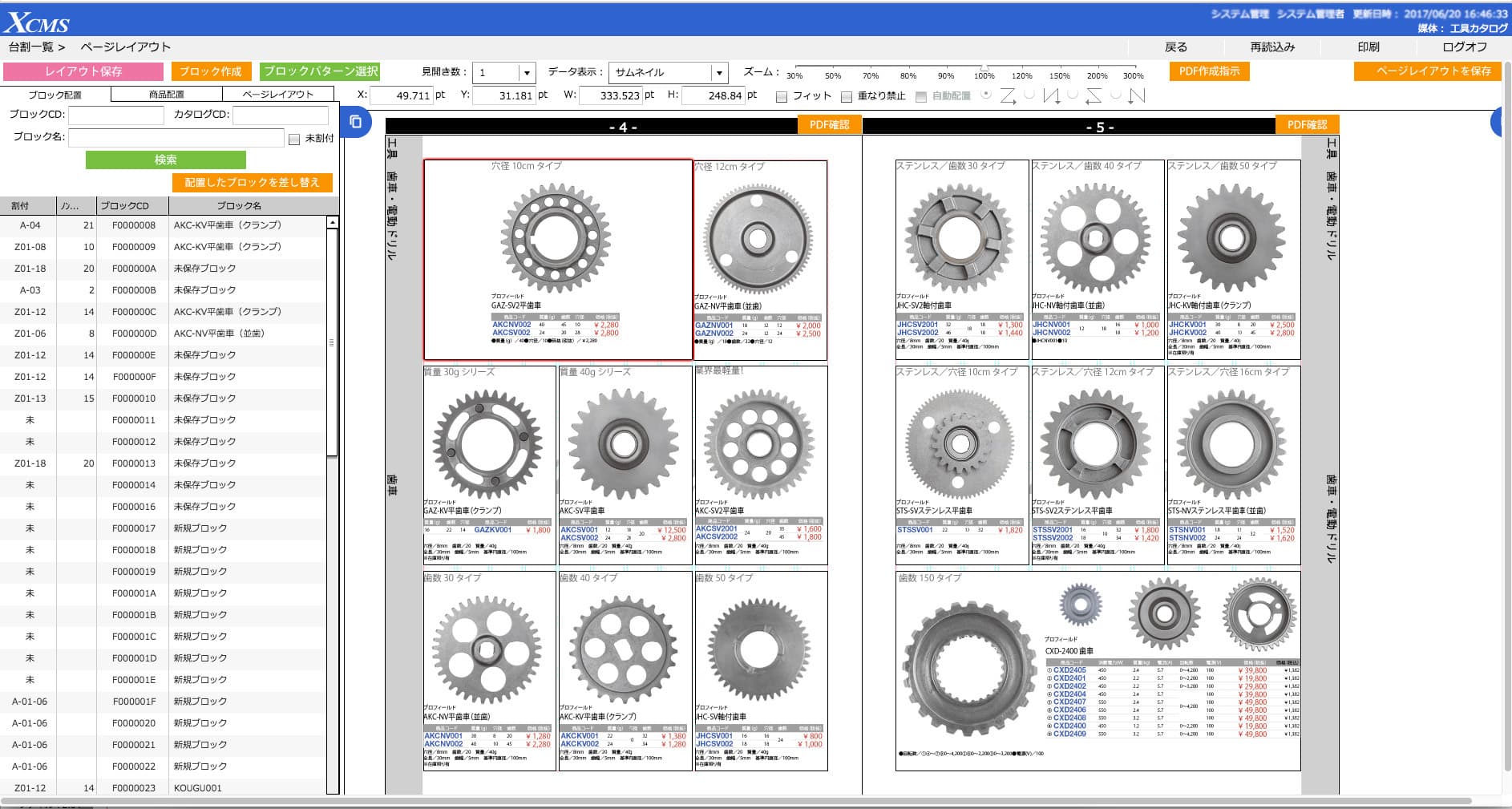
Page layouts, block layouts, block editing, table/spec creation and previews can be handled in the browser.
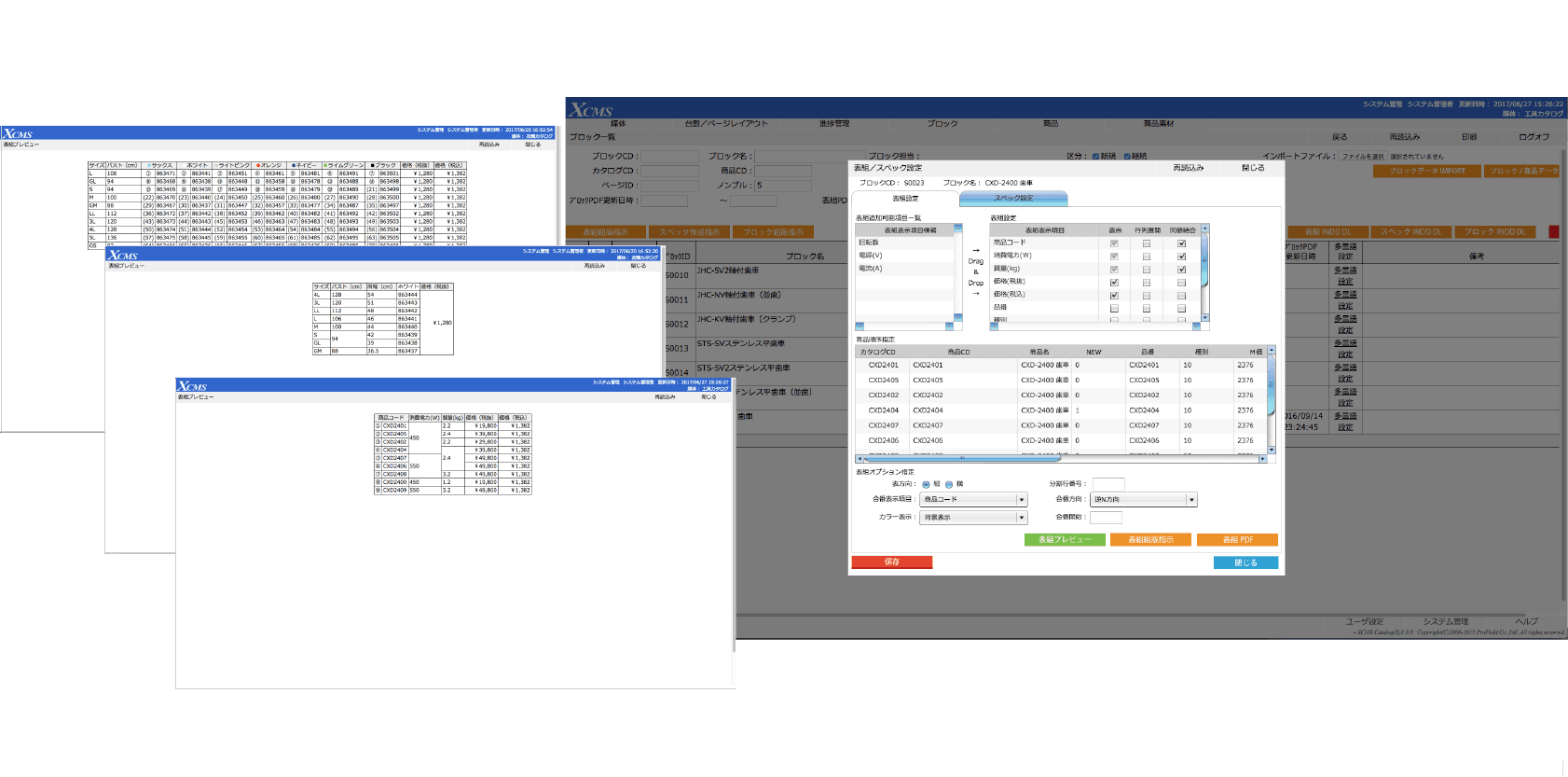
Create tables from a web browser
Tables can be created easily from the web interface, reducing the burden of catalog data preparation.
Change product information from a web browser
Price changes are made on the product screen and only changed portions are reflected.
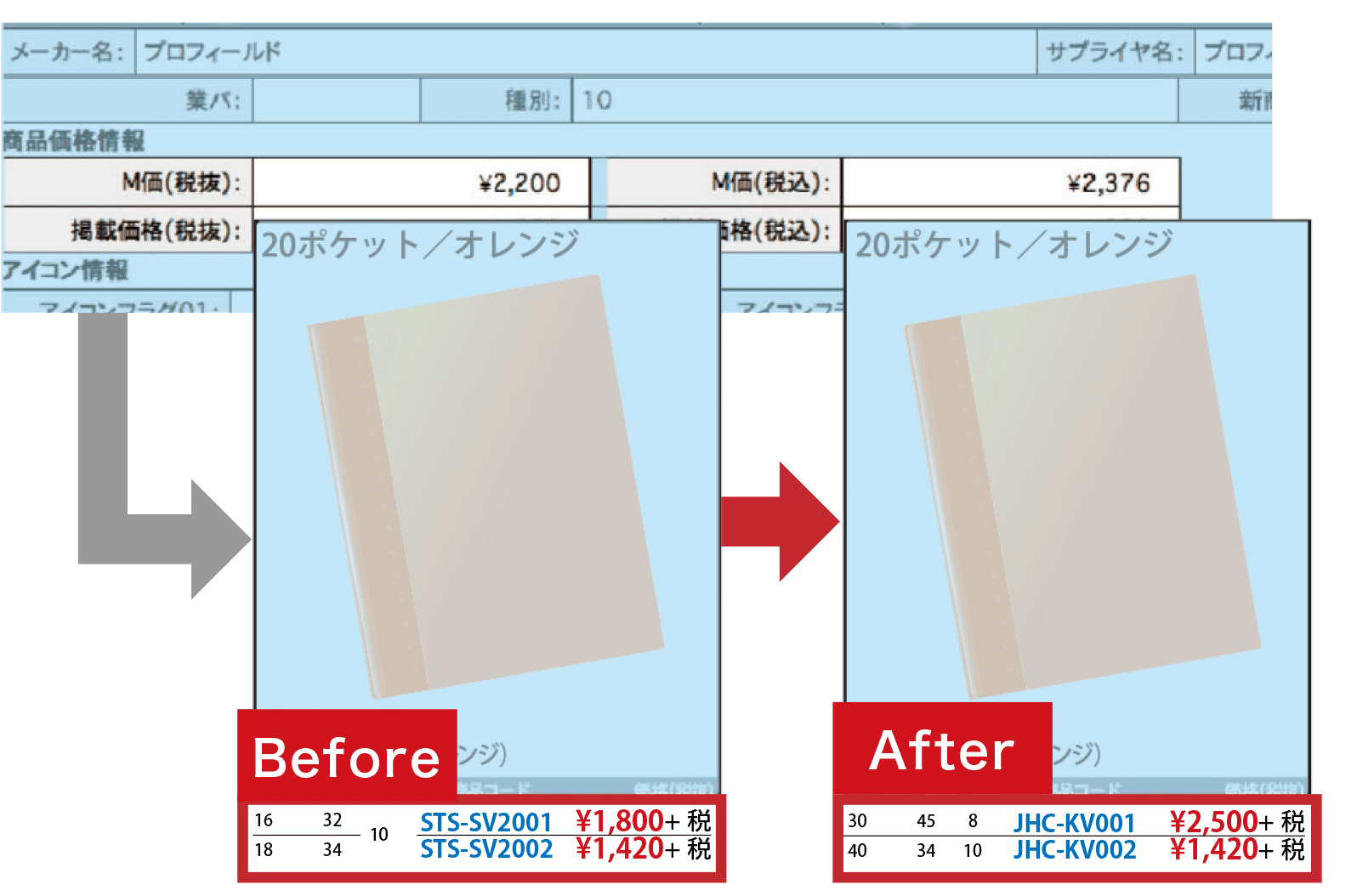
Reflect changed data in print data in real time
This reduces proof cycles and human error by reflecting product data into DTP data in real time.
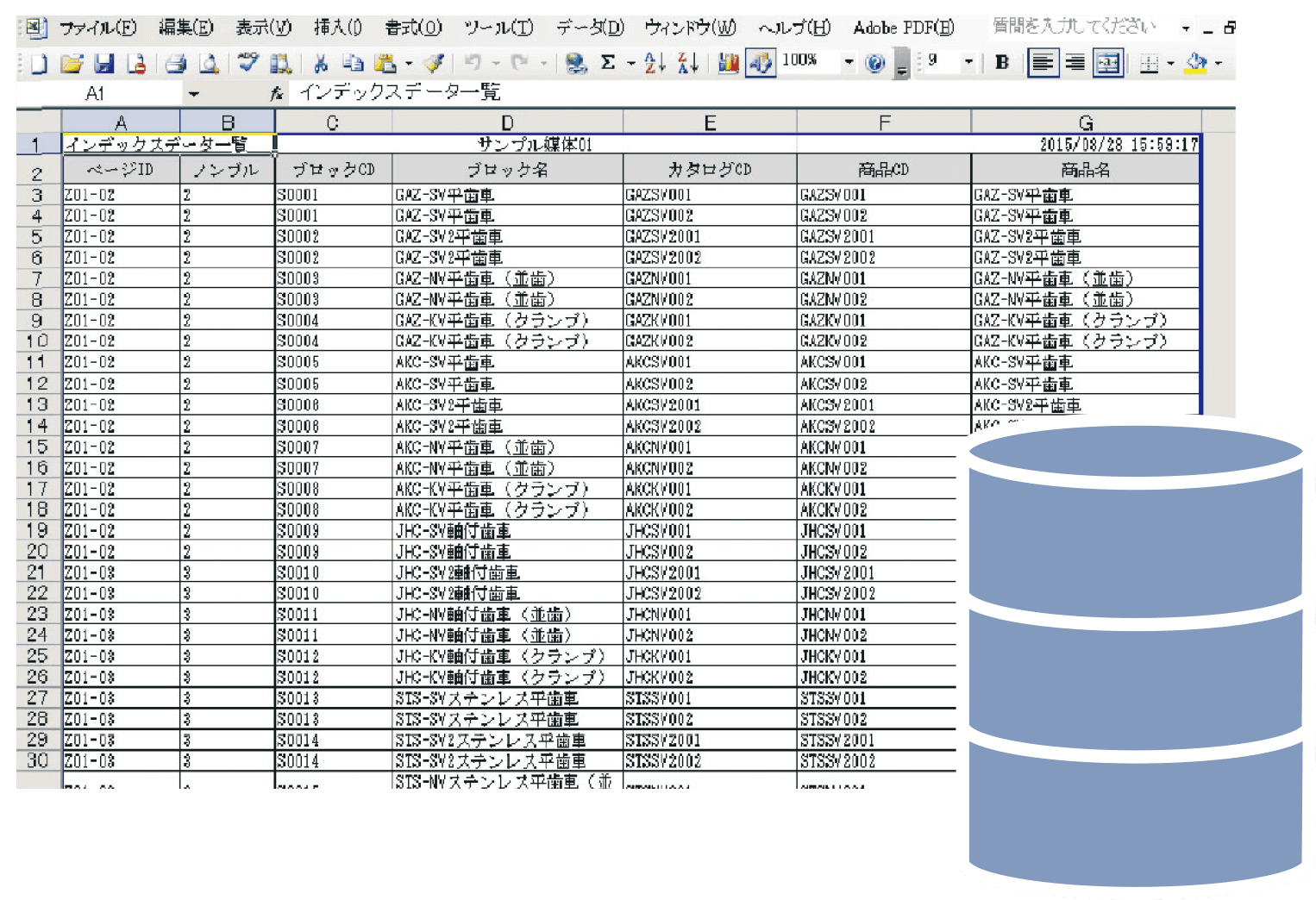
Eliminate index and data extraction costs and time
Index and product information can be extracted and exported in bulk from Catalog XCMS.
Options
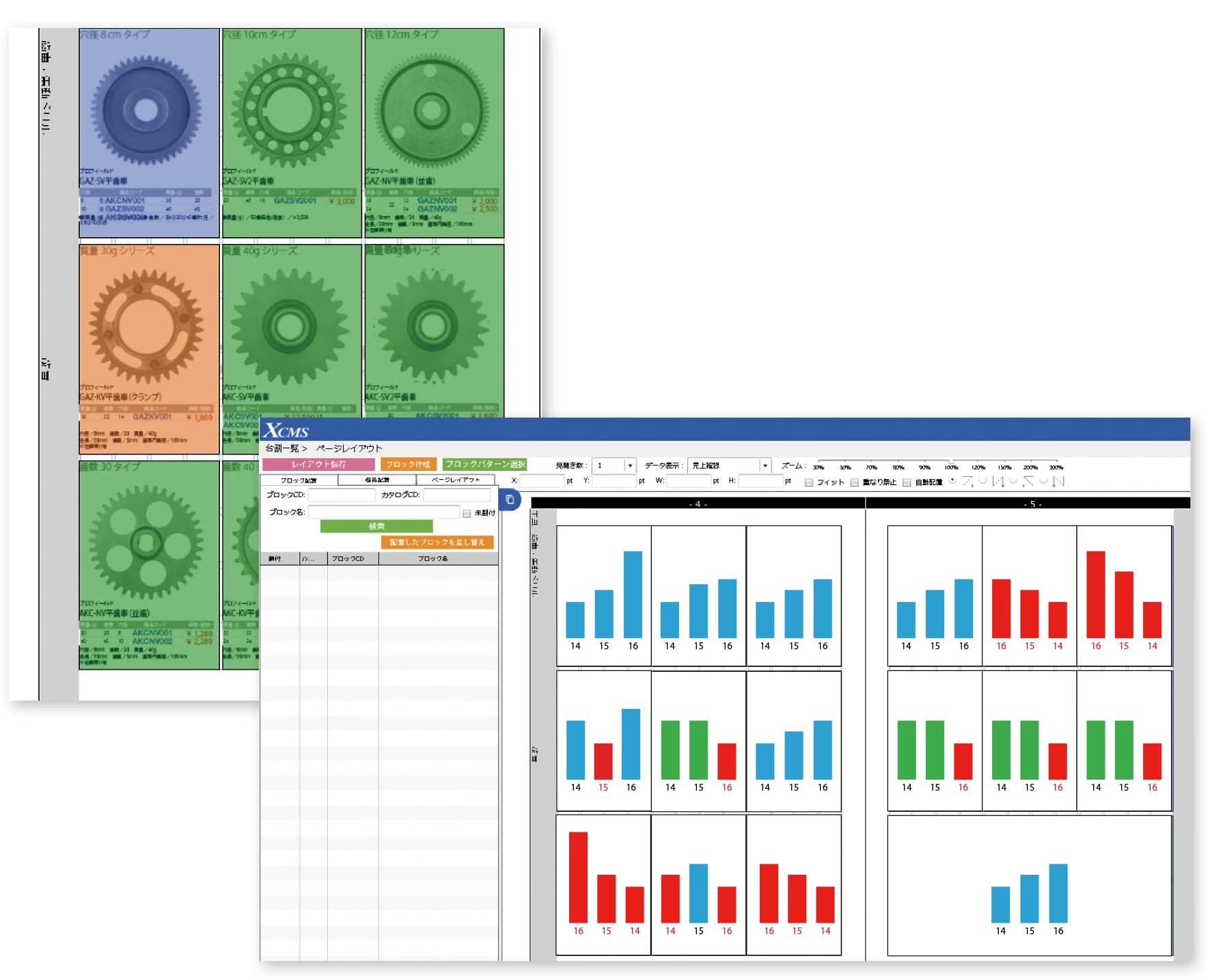
Planning / MDProduction companyAnalyze product sales in a web browser
Analyze product-level sales for catalog listing information by linking with sales data.
Graphical views make results easy to review.
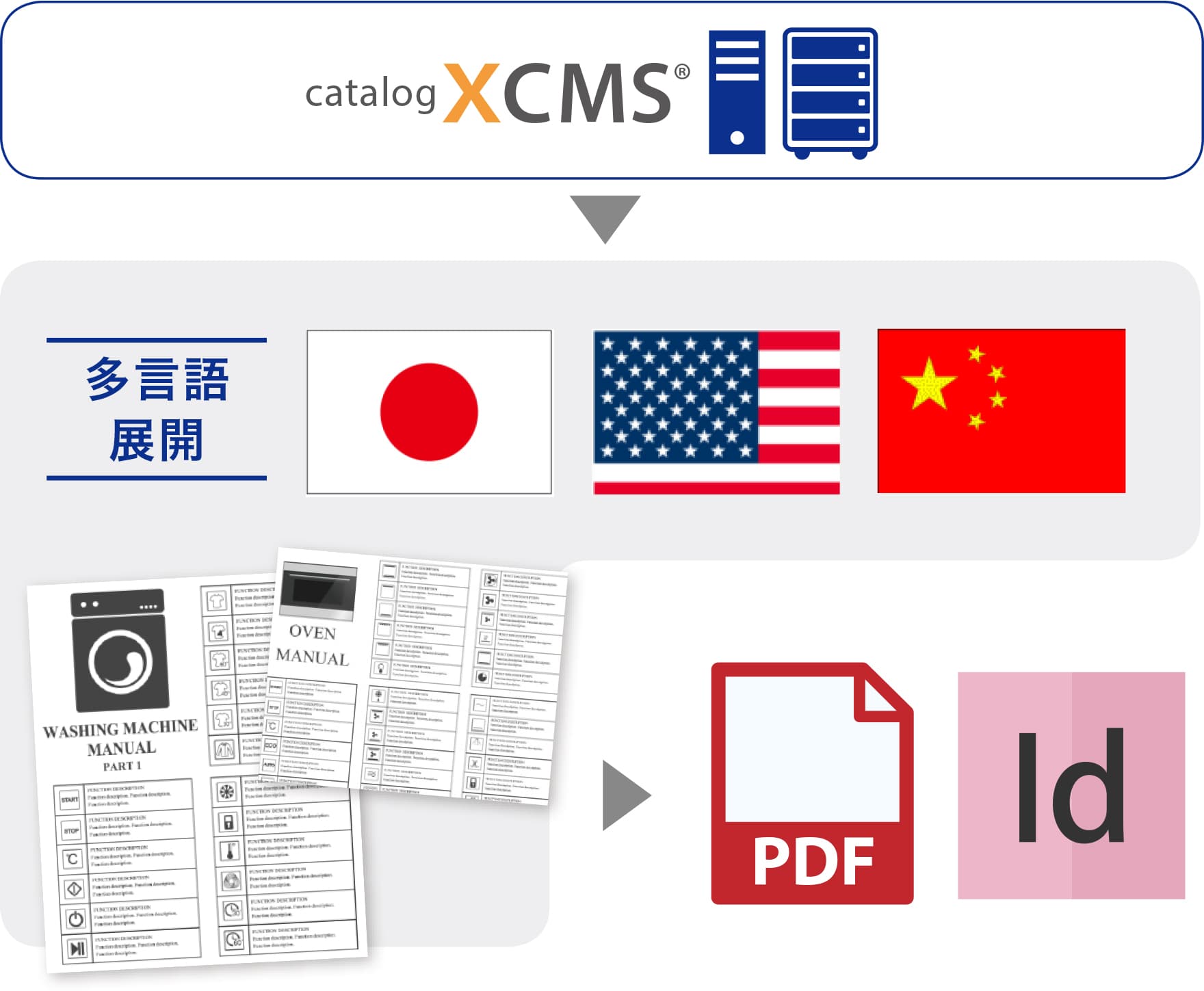
Expand to other languages more easily
Catalog XCMS supports multilingual expansion.
Translation functions can greatly reduce production time spent on translation work.
Expand the database into workflows for many media types
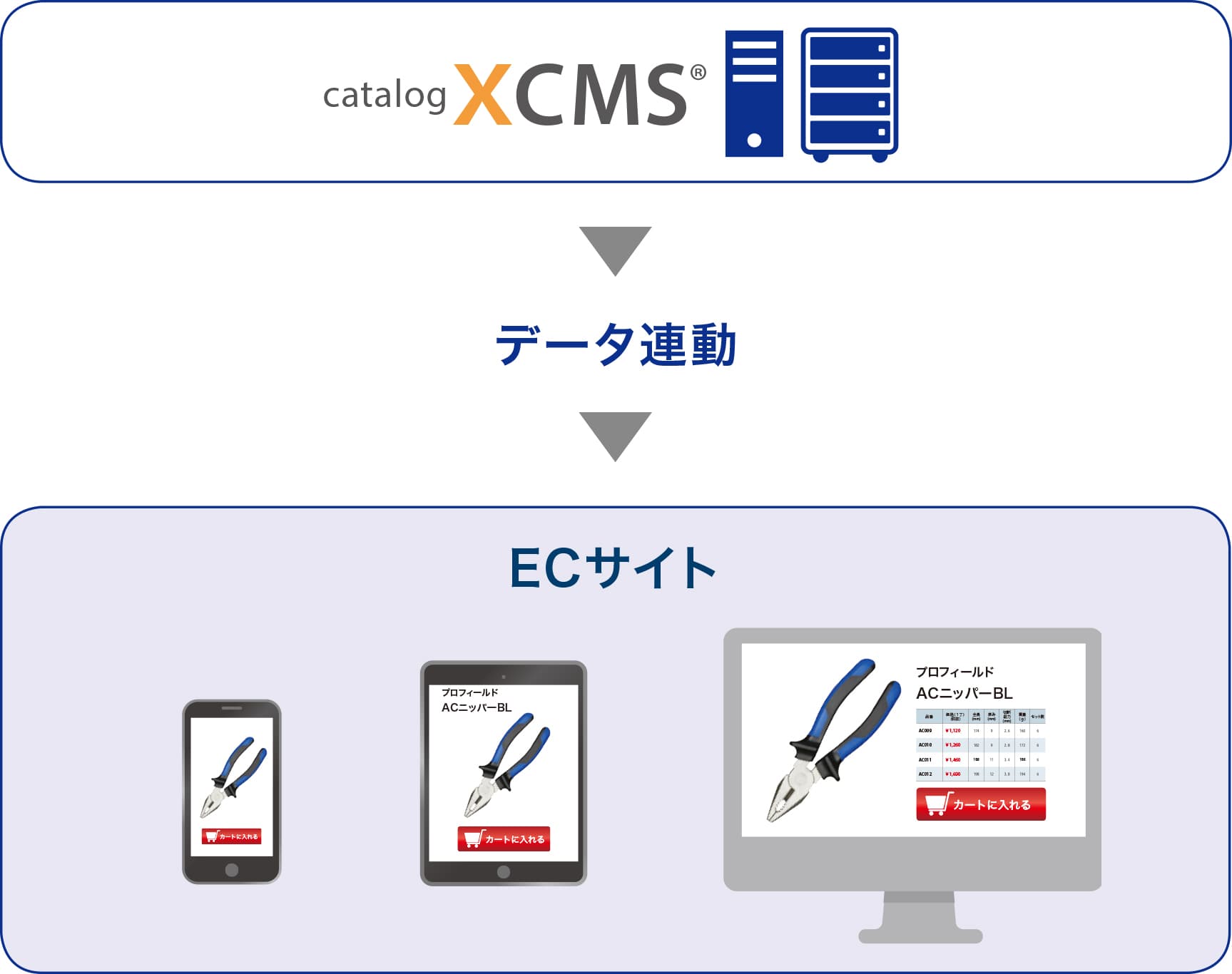
Data can be linked from Catalog XCMS to EC sites, enabling EC site construction and order handling.
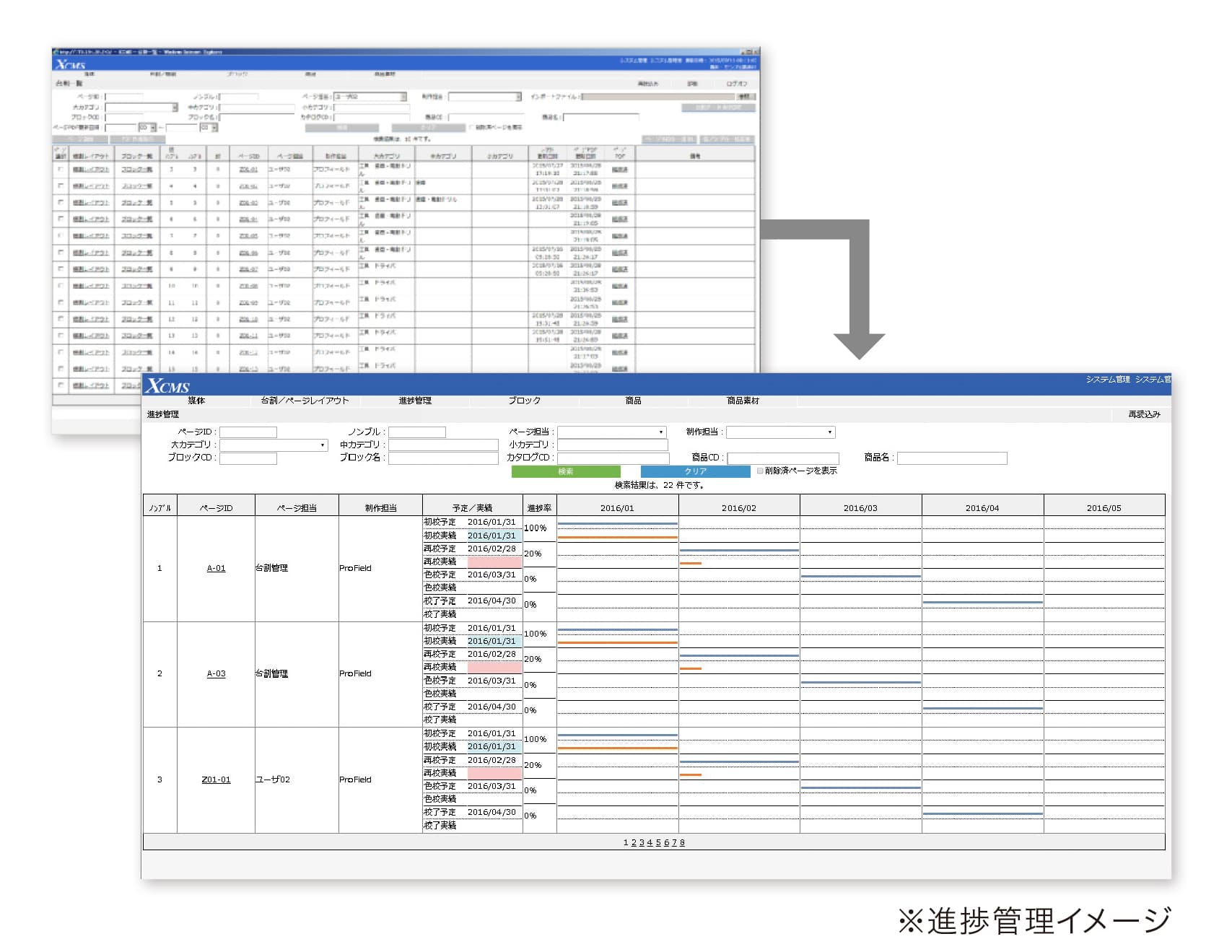
Manage schedules in a web browser
Progress can be reviewed for each project from the progress management screen.
Administrators can check first proofs, second proofs, final approval and other stages as needed.
Production Patterns
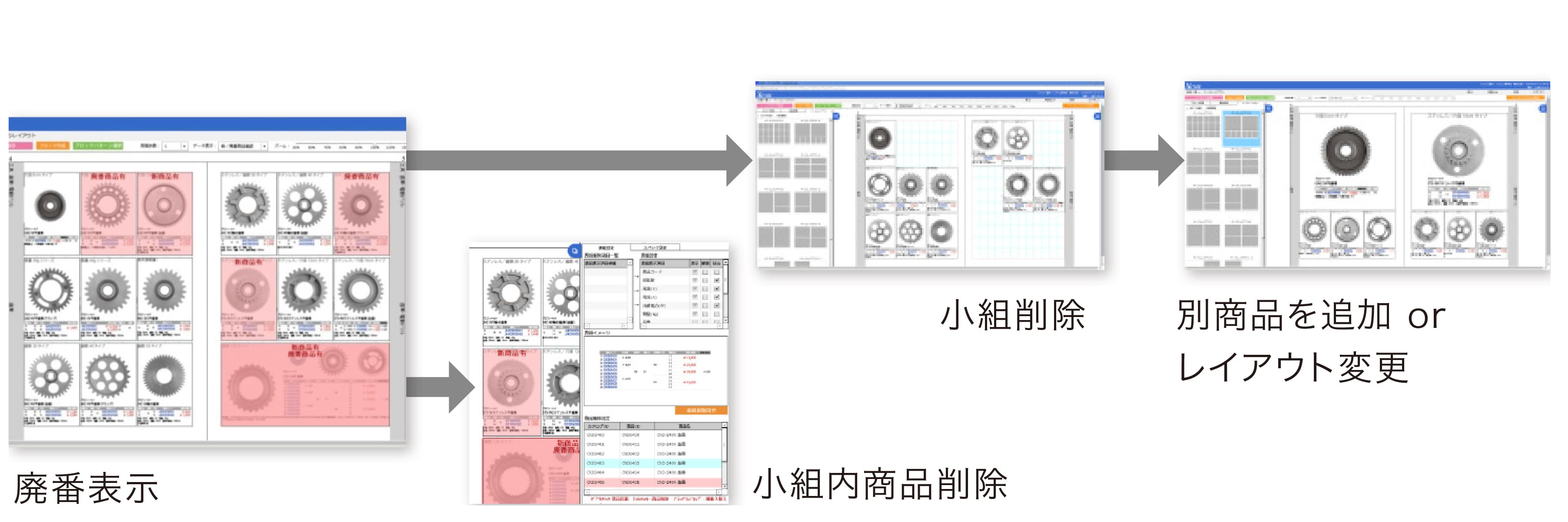
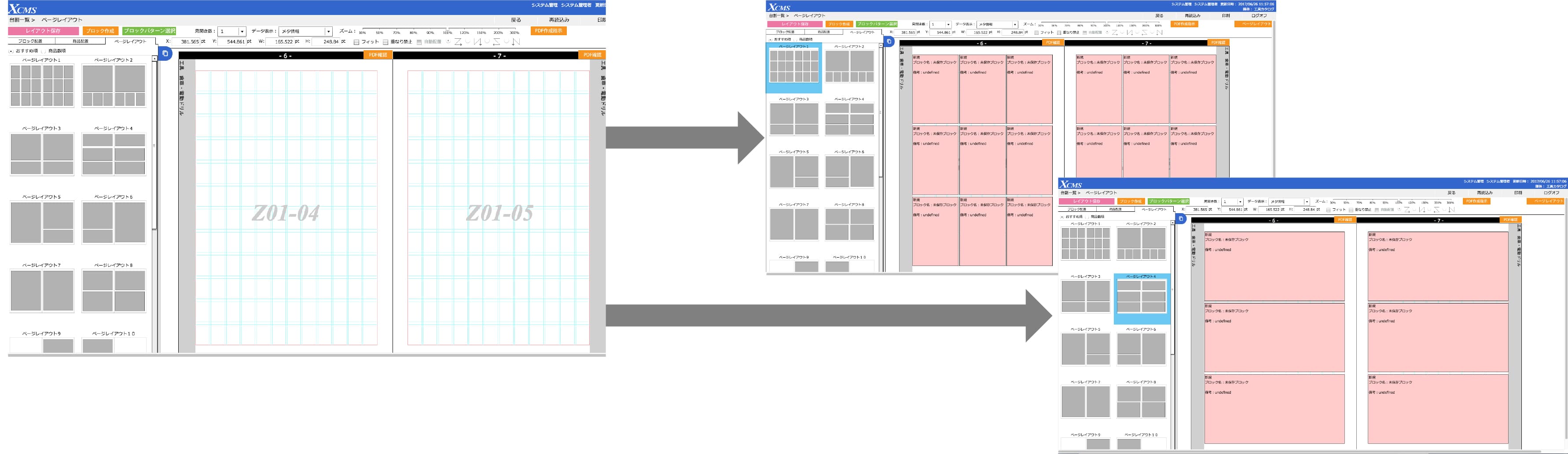
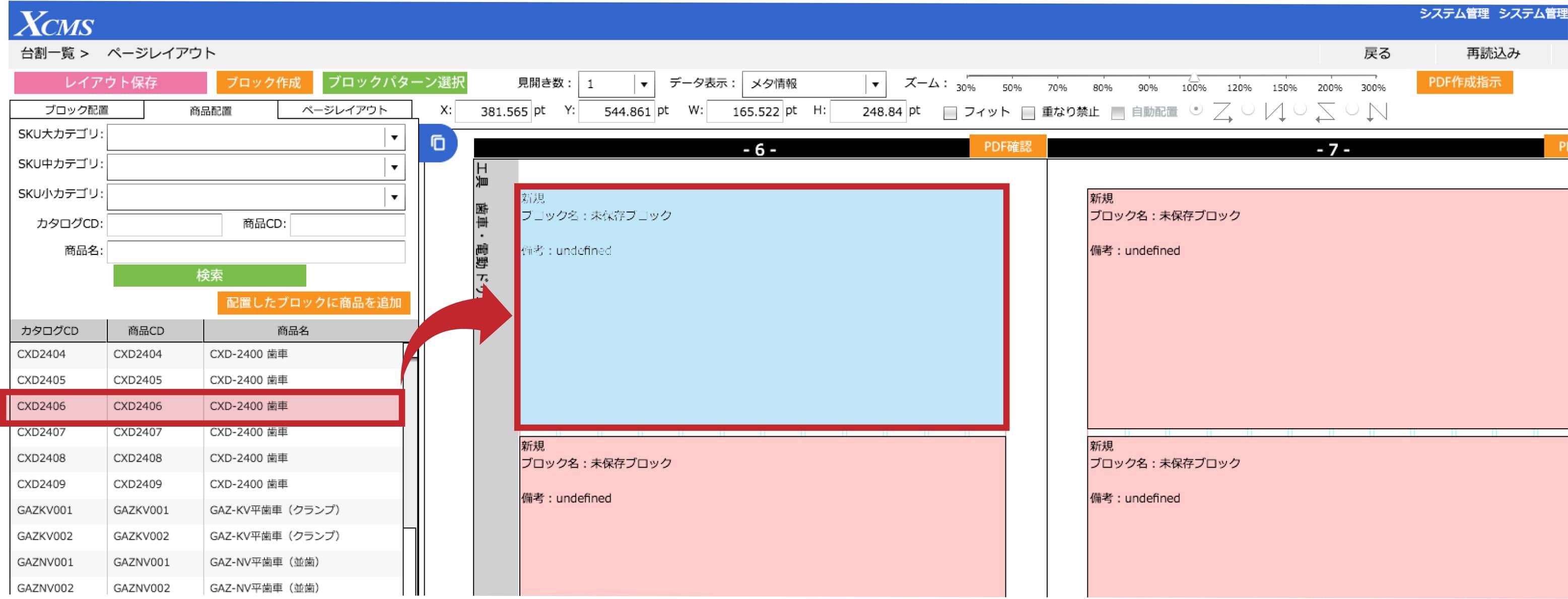
Planning / MDProduction companyChoose from three display modes according to the work required.
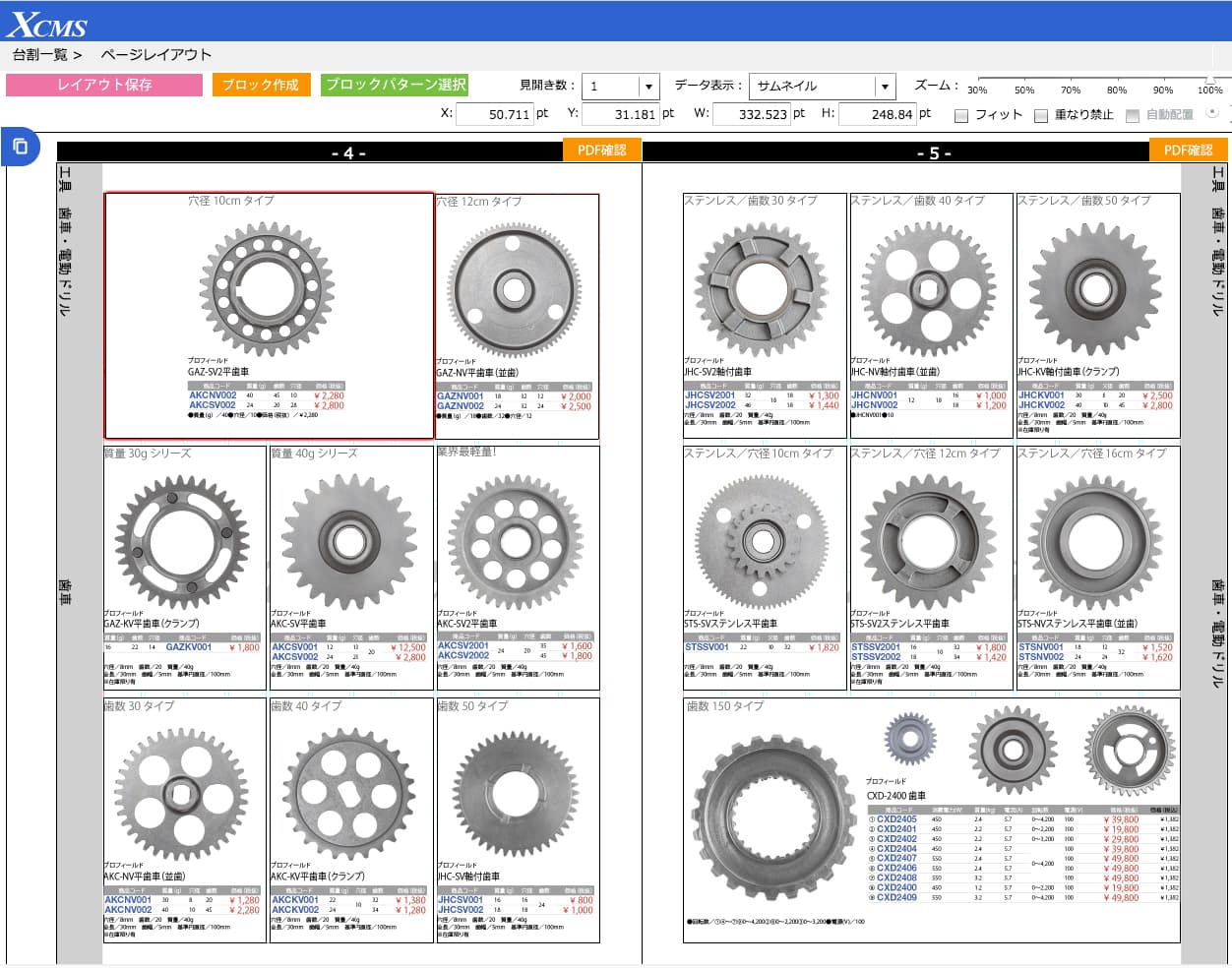
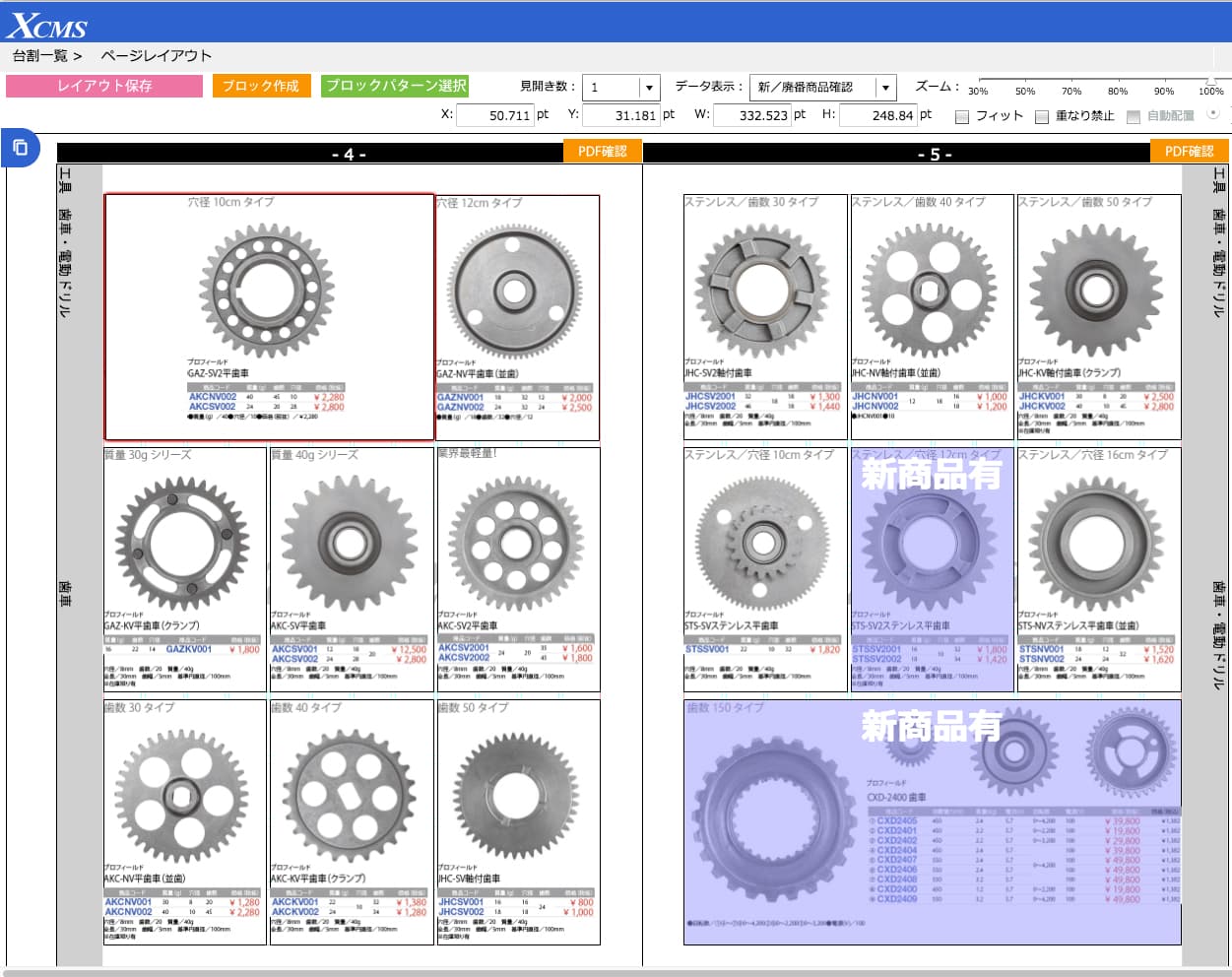
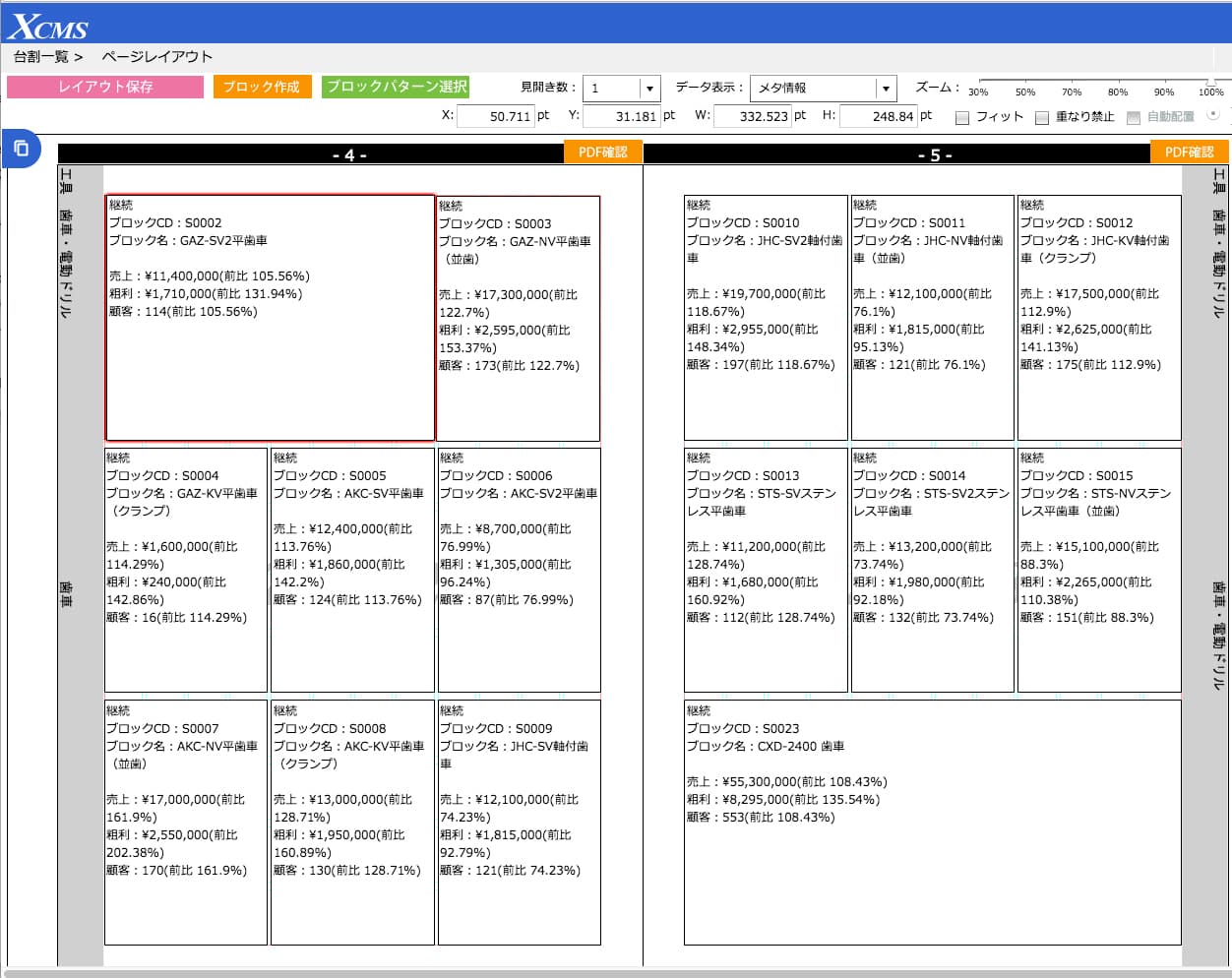
This mode is used when linked with the optional sales analysis function.
Use the new/discontinued product confirmation mode to show discontinued products, delete or replace products within blocks and change layouts.
Select a page layout pattern to apply it as a new layout or modify an existing layout.
Drag and drop product information to place new products.
Contact / Consultation
Tell us about your current workflow and requirements. We will guide you through suitable configurations, implementation steps, materials, demos and environment checks.
We clarify your workflow, production structure and data management requirements.
We provide product materials and demo guidance based on your use case.
We review system requirements, integrations and operational prerequisites.